

Direct answer: Power the device off, remove the cartridge, and use a cotton swab dampened with isopropyl alcohol to wipe the 510 contact points and center pin. Let all parts air dry completely before reassembling, charging, or firing the device.
Nothing kills a session faster than poor contact or a blinking light. We are Sokvape, and we focus on quick, safe fixes that restore conductivity and taste.
Regular maintenance keeps lithium-ion systems safe and working. For draw-activation pens and 510-thread setups, clean threads and the center pin after each cartridge swap. This reduces misfires, improves performance, and keeps your daily setup sanitary.
We will cover weekly upkeep, quick wipes between cartridges, and steps when the device won’t charge, blinks, or vapes weakly. Never submerge a cell, flood a charging port, or ignore signs of leakage or strong odors. If you need a protective case or cart covers, we’ll point you to Sokvape recommendations later in this guide.
Key Takeaways
- Power off and remove the cartridge before any contact cleaning.
- Use isopropyl alcohol on a damp swab for thread and pin maintenance.
- Dry fully before reassembly to avoid shorts or damage.
- Keep a weekly routine and quick wipes at each cart swap.
- Respect lithium-ion safety: no submersion or flooded ports.
- 510-threaded oil carts and draw-activation pens benefit most.
- Sokvape will recommend protective accessories later.
Why a Clean Vape Battery Matters for Performance, Taste, and Hygiene
A tidy connection delivers steady power and preserves flavor on every draw. Residue and dust on 510 threads and the center contact raise electrical resistance. That leads to weak hits, inconsistent firing, and lower vapor production even with a full cartridge.
We note that thick oil and different PG/VG ratios behave differently. High-viscosity distillates creep into threads and harden. Lighter blends leave sticky films that affect conductivity and coil heating.
Connection hygiene is part performance and part sanitation. Mouthpiece areas and contact points pick up bacteria from pockets and hands. A quick wipe before each cart swap reduces transfer and supports user safety.
- Performance: Dirty contacts increase resistance and mute terpenes on mesh coils.
- Taste: Uneven heating causes burnt notes and flat flavor.
- Maintenance cadence: Quick wipe at every cart swap; deeper weekly service.
“If you see discoloration, sticky film, or gritty threading, clean the connection before it becomes a troubleshooting issue.”
For a full maintenance reference, see our maintenance guide.
Safety Warning: Lithium-Ion Battery Safety Before You Clean
Safety first. Lithium-ion cells can fail if mistreated. Power the device off and remove any cartridge before inspecting parts or contacts.

Never submerge a cell or flood a charging port. Water can bridge connection points, cause corrosion, and create shorts that show up as unpredictable damage later.
Quick pre-check routine
Look for sticky residue around the 510 port and check for deformation. Sniff for sharp, chemical, or acidic odors. If you find leaks or a strong smell, stop use and replace the unit.
Gentle handling rules
- Do not pry the center contact or force threads.
- Avoid cross-threading and over-tightening cartridges; that compresses contacts and can cause misfires.
- Handle pins and connectors lightly to prevent permanent damage.
Disposal and replacement guidance
If a cell leaks or smells acidic, do not toss it in household trash. Use local battery recycling or hazardous waste drop-offs for safe disposal.
PACT Act awareness (US)
Replacement parts and batteries may face shipping restrictions under PACT Act rules. Check seller policies and local regulations before expecting fast delivery or returns. This is informational, not legal advice.
Quick note: Keep charging ports dry and inspect components each time you swap a cartridge.
| Issue | Risk | Action |
|---|---|---|
| Visible residue or leakage | Corrosion, shorts, odor | Stop use; dispose at a recycling center |
| Wet or flooded port | Delayed charging failure, damage | Dry fully; inspect before plugging in |
| Damaged pins or threads | Poor connection, misfiring | Do not force; replace damaged component |
Tools and Supplies You’ll Need to Clean a 510 Battery
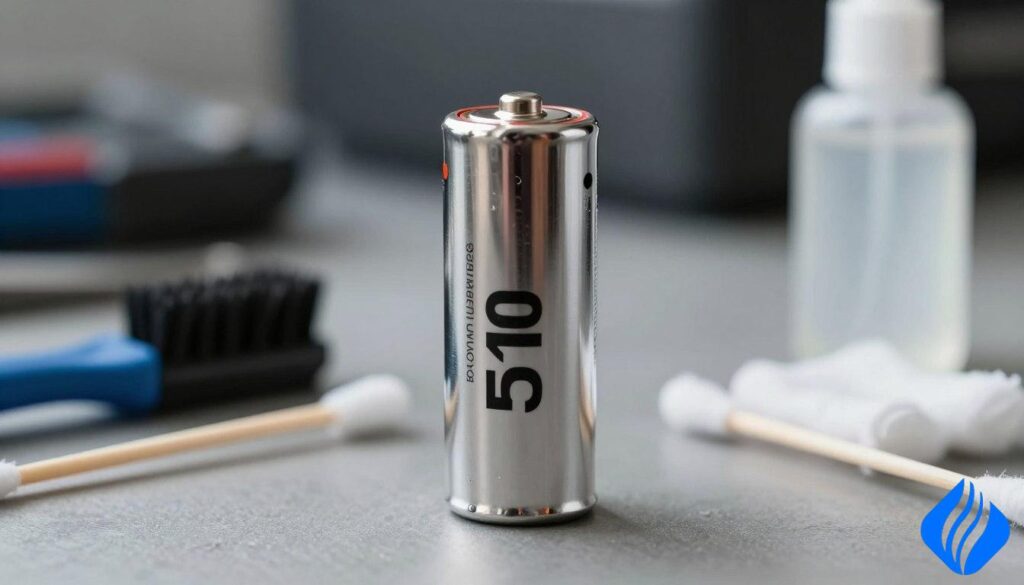
Routine upkeep needs only a few items that target contact points and the exterior. We list the minimal kit we use at Sokvape for reliable results. These tools prevent most connection problems and speed safe maintenance.
Isopropyl basics and why water falls short
Isopropyl alcohol cuts oil, lifts sticky residue, and disinfects contacts. It evaporates far faster than water, so parts dry safely without trapped moisture. Plain water leaves films and can promote corrosion. Use isopropyl for targeted contact work, not soaking.
Cotton swab technique
Use a damp, not dripping, cotton swab for threads and the center pin. One alcohol-damp swab loosens grime. Follow with a dry cotton swab to remove residue and speed drying. Gentle circular motion works best.
Microfiber cloth and exterior care
A lint-free cloth removes fingerprints and pocket lint without scratching the surface. Give the device a light wipe exterior after contact work for a finished look.
Optional accessories and Sokvape pro-tips
Carry a cart cover, battery case, and protective caps for travel. These reduce leaks and contamination and save time during storage.
| Item | Purpose | Sokvape Tip |
|---|---|---|
| Isopropyl alcohol | Remove oil, disinfect contacts | Use 70–90% isopropyl; apply with a damp swab |
| Cotton swabs (dry & damp) | Target threads and center pin | Damp then dry workflow; avoid dripping liquid |
| Microfiber cloth | Wipe exterior surface | Use soft strokes; no abrasive cleaners |
| Cart cover / case | Travel protection and hygiene | Store upright and sealed during transit |
How to Clean Vape Battery Connections Step-by-Step
A quick, repeatable sequence restores conductivity and ends misfires in minutes.
- Disassemble and inspect.
Power off and remove the cartridge or atomizer. Scan the 510 port, threads, and center contact for residue or buildup.
Stop if you see deformation, heavy leakage, or a strong chemical smell. Those signs require replacement, not a wipe.
- Wipe the exterior.
Use a lint-free cloth to wipe exterior surfaces. This prevents dirt from falling into the port during deeper work.
- Clean the 510 threads.
Moisten a cotton swab with isopropyl alcohol—damp, not dripping—and use a circular motion on the threads.
This restores conductivity and removes sticky residue that raises resistance.
- Clean the battery pin/contact.
Gently rotate a damp swab around the center pin. Do not pry or force the contact.
Follow with a dry swab until no moisture or film remains.
- Dry time and reassembly.
Wait until there is zero visible moisture and no alcohol smell. This prevents shorts when charging or firing.
Reassemble snugly but avoid over-tightening the cartridge. Protect the contact and avoid pushing the pin down.
- Functional test.
Power on the device and confirm it fires or the draw-activation responds. If trouble continues, stop and consult troubleshooting steps.
For related guidance on charging and reuse, see our short guide on recharge a disposable.
Quick note: Use gentle motion, proper drying time, and minimal alcohol. These steps keep your 510 battery connections reliable and safe.
Troubleshooting After Cleaning: Blinking, Not Charging, Weak Draw, or No Vapor
If your device still acts up after a wipe, follow a short, ordered troubleshooting flow for fast diagnosis.
- Fit check.
Screw the cartridge on until it is firm but not over-tightened. Over-torquing can compress the atomizer contact and cause intermittent firing.
- Inspect for obstructions.
Look for residue or oil at the port and on the threads. Repeat a targeted alcohol/isopropyl swab on the contact ring and center pin if needed.
- Blinking or misfires.
Confirm the cartridge sits straight and the contact is free of debris. If blinking continues, try a different cartridge to isolate the component.
- Not charging or weak charge.
Check the charger’s amperage and cable quality. Avoid charging immediately after heavy use; let the unit cool ~10 seconds before plugging in.
- Weak draw or low performance.
Ensure airflow isn’t blocked and components assemble snugly. Re-clean only the contact areas—excess liquid wastes time and may cause damage.
- Safety boundary.
If odor, swelling, leakage, or persistent failure remains after these steps, discontinue use and replace the battery. Do not risk further harm.
Quick tip: Start with the fastest checks and escalate only if symptoms persist. That saves time and protects components.
Symptoms vs. Solutions: Quick Diagnostic Table for Common Battery/Connection Problems
Simple checks speed repairs. A few visible signs point clearly at residue, airflow obstruction, or a poor connection. Match the symptom to the likely cause, follow the listed steps, and test the device again.
Print or screenshot this guide for fast reference during troubleshooting.
| Symptom | Likely Cause | Action / Fix |
|---|---|---|
| Blinking light or misfires | Connection / fit (loose pin, dirty threads) | Power off. Use an alcohol-damp swab on both cartridge and battery threads. Dry fully and reseat snugly. Test with another cartridge if it persists. |
| Weak draw or low performance | Residue / buildup on contact or atomizer | Wipe center pin and 510 ring with a damp swab, follow with a dry swab. Allow no moisture before reassembly. |
| No vapor but device appears on | Airflow/obstruction (flooded airway or clogged port) | Clear airway gently with a toothpick or soft blow. Refit the cartridge and confirm airflow. Repeat cleaning 510 if needed. |
| Strong chemical smell or visible leakage | Residue / severe leak | Stop use immediately. Replace or dispose at an approved recycling center. Do not risk charging or continued operation. |
Quick note: Start with the least invasive fixes and escalate only if symptoms remain. Safety first.
Unclogging Tips That Protect Your Battery and Improve Airflow
Clogged airflow often mimics an electrical fault, but the fix may be simple and fast. We focus on safe steps that restore flow without risking threads or internal parts.
Warm thick oils safely
Hold the cartridge in your hands for a minute. Body warmth loosens viscous oil without heat stress.
Do not use hot water or direct high heat. That can cause leaks and damage the battery contact. Short, gentle airflow from a hairdryer at low distance is ok for a few seconds.
Clear the airway carefully
Use a toothpick or thin pin shallowly. Work gently and avoid pushing debris into the cart or threads.
Draw-activation technique
For draw-activation devices, take slow, light pulls. Strong suction floods the airway and brings residue into the mouthpiece.
Sokvape pro-tip: Blow lightly into the mouthpiece to clear a minor flood, then wipe and test again.
These tips reduce buildup and residue. Better airflow improves performance and saves time on future cleaning.
Travel and Storage Best Practices: TSA/FAA Compliance and 2026 Legal Disclaimer
Secure storage and clear steps let you travel without risking device failure or mess. Pack with safety in mind and inspect gear before you leave. A few simple rules protect terminals, prevent accidental activation, and reduce leaks.

| Carry-on | Checked bag | Sokvape note |
|---|---|---|
| Permitted with installed cells; protect terminals and prevent activation. | Generally discouraged for loose cells; many airlines prohibit transport in checked luggage. | Keep devices in a case and switches off. Remove cartridge if airline policy requires. |
| Store in a dedicated case or pouch that prevents shorting. | Heat and pressure increase risk of leakage in cargo holds. | Always pack spare cartridges upright and capped. |
| Follow airline and local rules; ask carrier if unsure. | Checked storage may be subject to additional restrictions in some jurisdictions. | Carry documentation for medical or legal cartridges if applicable. |
Practical packing and storage tips
Use a battery case and keep cartridges upright to limit residue pooling. Separate cells from carts when possible.
Avoid heat. Do not leave gear in hot cars. Do not expose parts to water or heavy humidity.
Wipe the exterior and perform a quick clean 510 swipe with a dry cloth after travel. That prevents lint and debris from causing a missed hit on arrival.
Legal disclaimer
2026 update: Laws and venue policies change by state and venue. Verify TSA, FAA, and local rules before travel and follow all applicable regulations. This is guidance, not legal advice.
Conclusion
A brief habit can stop misfires and restore full flavor.
Consistent maintenance of the 510 battery connection restores conductivity and protects performance. A quick cotton swab wipe with isopropyl alcohol at every cart swap, plus a weekly deeper cleaning step, prevents most faults and saves time.
Safety first. Never submerge cells, flood ports, or ignore leaks and strong odors. Replace any unit with visible damage or persistent failures.
When troubleshooting, follow this order: clean 510 connection, confirm airflow, then check chargers and cell health. For step-by-step guidance, see our short guide on clean a 510 battery.
FAQ
Q: How often should I clean my connections? — Weekly and at every cart swap.
Q: Can I use water instead of alcohol? — No; water risks corrosion and shorts.
Q: Why is the light blinking after a wipe? — Likely moisture or a loose contact; dry and reseat.
Q: Weak draw after cleaning? — Check airflow for clogs and warm the cart gently.
Q: When replace instead of clean? — Leaks, strong smell, damaged threads, or repeated charge failures.
 English
  German
  Dutch
Dutch  Danish
  Czech
Czech  Italian
  Slovenian
  French
  Hungarian
  Spanish
  Polish