

Learning how to fix a blinking vape is essential for any vaper dealing with frustrating light patterns or connectivity issues. Most flashing lights on your device signify a simple battery connection error, a short circuit, or a safety alert that requires immediate attention. In this comprehensive 2025 guide, the Sokvape expert team provides science-backed troubleshooting steps and a harm-reduction approach to get your device back in top shape while staying compliant with the latest industry regulations.
Key Takeaways
- Blinking lights often point to a battery connection issue.
- Loose or dirty contacts can block a proper current flow.
- Short circuits may trigger blinking as a built-in safeguard.
- Adhering to 2025 regulations helps prevent legal risks.
- Sokvape focuses on safe, science-backed steps for harm reduction.
Understanding the 2025 Vaping Regulations
We are entering a new era with strict guidelines. These rules shape labeling, manufacturing, and device safety. They focus on clear instructions and better transparency about ingredients and hazards.
We suggest checking updates at Sokvape.com to stay informed. This helps prevent misuse and ensures each component meets high standards.

Why Regulations Matter
Education leads to safer choices for all. New laws push for safer designs and clear product labels. This reduces confusion and the risk of unexpected problems.
When liquids and coils follow approved guidelines, the risk of short circuits drops. This makes vaping safer for everyone.
Impact on User Safety
Improved testing and regular device checks bring peace of mind. Battery overload or wiring faults become less common. This protects vapers from harm.
For more on vape signals, visit this resource. Always choose reputable products to protect both new and seasoned vapers.
How Vaping Devices Blink: The Basics
Blinking lights are more than just a visual touch. They show us battery life, changes in coil temperature, or when we need to cool down the device. Each light has its own message, helping us know when to recharge, check connections, or be extra careful.
Many devices have a 10-second cutoff to prevent overheating. This feature limits how long the coil is on, keeping it from getting too hot. It also stops accidental firing, helping us avoid harm. We learn to spot quick flashes that tell us to stop the fire button, keeping us safe and our devices working well.
By paying attention to these signals and the 10-second cutoff, we make our devices last longer. This helps us enjoy a safer choice than smoking, making us more confident in our vaping habits.
Common Indicators of Battery Connection Issues
We all want our devices to work smoothly. A flickering light can mean there’s a problem with the battery connection. Checking a few things can help avoid these issues and keep our devices running right.
It’s key to make sure the battery and contacts are connected well. Turn off the vape and remove the tank or pod. If the pins are loose or not aligned right, it can cause problems. Also, if you see corrosion, it’s a big warning sign.
Checking for Loose Contacts
Look closely at all metal connectors. Check for bends or debris. A soft cloth can clean these areas well. If it keeps flickering, you might need a new connector.
Signs of Corroded Terminals
Dark spots or sticky areas mean corrosion. This stops the current flow. Clean it off carefully and dry it well. If it keeps happening, it might be a bigger problem.
| Indicator | Possible Cause | Tip |
|---|---|---|
| Unstable Glow | Loose Battery Pin | Realign and Clean Pin |
| Flickering Light | Corroded Terminal | Wipe Residue and Dry |
How to Fix a Blinking Vape
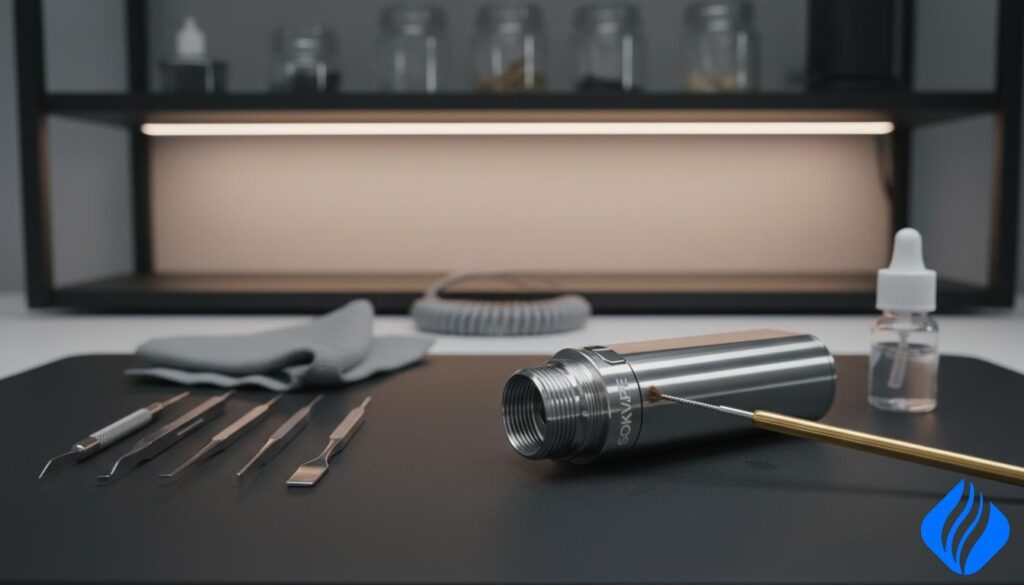
Seeing a vape blink nonstop can be really frustrating. A careful approach often fixes the issue and protects the device. Make sure all connections are tight and everything is properly seated.
Step-by-Step Troubleshooting
Here’s what we do when the light starts flashing:
- Consult the manual for any reset or power-cycle steps.
- Turn off power for at least five minutes (this helps the chip reset).
- Check that the coil is installed right and 510 thread cleaning has cleared any debris.
- Turn it on again and do a quick test draw to see if the blinking stops.
Safe Reset Techniques
If the blinking doesn’t stop or you notice something odd, turn it off right away. A proper reset keeps your vape safe and helps with temperature control. For more help, check out this guide on blinking lights. We want your vaping sessions to be safe and smooth every time.
Troubleshooting Short Circuits and 10-Second Cutoff
We rely on our vaping gear for smooth atomization. If it gets too hot or the lights blink fast, a short circuit might be the cause. Signs like overheated coils and flickering lights mean we need to act fast.
Short circuits happen when metal parts touch or wires fray. If we smell burning or performance drops, we turn off the power right away. This keeps us and our device safe.
Identifying a Short Circuit
Look for signs like unusual heat, taste changes, or constant light blinking. Checking the battery connection and internal contacts often shows bent terminals or loose wires.
Resetting the 10-Second Cutoff
Many devices have a safety feature that stops power if the fire button is pressed too long. Pressing the button again might fix the issue. If it happens again, we cool the device and check for damage. If problems continue, getting help from a vape technician is a good idea.
Charging Issues: Tips for Prolonged Battery Life
Thoughtful charging routines can make a big difference. Always use the charger that came with your device. This helps avoid erratic power delivery and overheating.
At Sokvape.com, we encourage harm reduction. Never leave your device plugged in for too long. Watch for flickering lights or sudden warmth while it’s connected. If you see a short circuit, unplug and check for damage.
Keep your batteries away from extreme cold or heat. Storing them at room temperature keeps cells healthy and extends battery life. Regular checks also prevent short circuits. Reliable charging gives you peace of mind and a dependable vaping experience.
510 Thread Cleaning and Maintenance
We take good care of our vape devices, focusing on the 510 thread. This part is key for stable contact, which is vital for good atomization and keeping the device cool. A clean connection means fewer leaks and less chance of mechanical problems.
Keeping it clean helps our devices last longer and is safer for us. It’s all about reducing stress on the parts and making vaping safer.
Avoiding Cross-Threading
When we attach or detach tanks, we’re careful to avoid cross-threading. We make sure the parts are lined up right before twisting. This way, we avoid damaging the threads.
Stripped threads can really mess up how our devices work. They might even cause a 10-second cutoff if the connection isn’t good. So, we handle the parts gently to protect both the device and ourselves.
Daily Cleaning Routine
Every day, we clean the 510 thread to keep it free from dirt and grime. We take off the tank and use a cotton swab to clean off any sticky stuff. A little bit of isopropyl alcohol helps get rid of tough stains.
This daily cleaning makes sure our threading is smooth. It helps our vapor taste better and prevents accidental activations. It’s all about keeping our vaping experience consistent and safe.
Quick Summary: Key Fixes for a Blinking Vape
Blinking lights on vapes, like those from SMOK or Aspire, signal safety alerts or maintenance needs. Our goal is to keep vaping efficient and safe. These lights often mean short circuits, battery problems, or charging issues.
Knowing the color codes is key. Some lights just warn of low battery. Others signal serious technical issues.
Color Codes and Immediate Actions
Users often see three colors that flash when the vape needs attention. Here’s a quick guide:
| Color | Possible Cause | Quick Fix |
|---|---|---|
| Red | Low Battery | Recharge promptly |
| Green | Stable Power | Continue usage or check coil if blinking persists |
| Blue | Short Circuit | Reset device and verify battery connections |
Acting fast prevents damage and saves money. Clean the threads and check the battery often. This keeps your vape running well and vapor output reliable.
Conclusion
We think keeping your vape in good shape is key. Blinking lights usually mean simple problems, like bad battery connections or dirty 510 threads. Taking care of these small things makes vaping better and safer.
It’s important to keep learning about vaping. New tech and tips can help you enjoy vaping more. Check out this guide on flashes and what they mean. Being up-to-date helps you handle any surprises your vape might throw at you.
Visit Sokvape.com for the latest vape info and top-notch devices. Knowing how to care for your battery and avoid short circuits is important. It keeps you and your vape safe.
FAQ 1: Why is my vape blinking multiple times in a row?
It often signals a short circuit or a battery problem. Try replacing the battery or checking contact points.
FAQ 2: Does 510 thread cleaning help prevent blinking?
It can prevent loose connections and corrosion, which reduces the chance of persistent errors.
FAQ 3: What should I do if my vape blinks after charging?
Consider trying a second charger or battery. A damaged component can trigger repeated blinking.
FAQ 4: Can blinking errors harm my device?
They serve as warnings. Prolonged inaction may cause damage, so prompt attention is vital.
FAQ 5: When should I seek professional assistance?
Seek help if the blinking persists or if you suspect an internal issue needing expert evaluation.
 English
  German
  Dutch
Dutch  Danish
  Czech
Czech  Italian
  Slovenian
  French
  Hungarian
  Spanish
  Polish