

Improper charging is the #1 cause of vape battery degradation and safety incidents.
This guide is compiled by SOKVAPE technicians using 2026 industry safety standards (CE/RoHS).
You are handling high-energy lithium-ion power cells. Removing protection circuits means you lose built-in safeguards. That raises risks of short circuits, thermal runaway, and damage from overcharge or over-discharge.
This safety-first guide sets strict protocols for charging Foger and Digiflavor devices in the United States. We will give precise charge-time guidance, US-safe charging steps, and brand-specific troubleshooting. Expect a clear safety disclaimer and a compact troubleshooting table.
If a cell shows heat, hissing, swelling, leaking, or venting, stop immediately and treat it as an emergency. Most incidents are preventable with good storage, secure cell holders, and correct adapters. We prioritize preventing burns, fire, and device damage over quick fixes or myths.
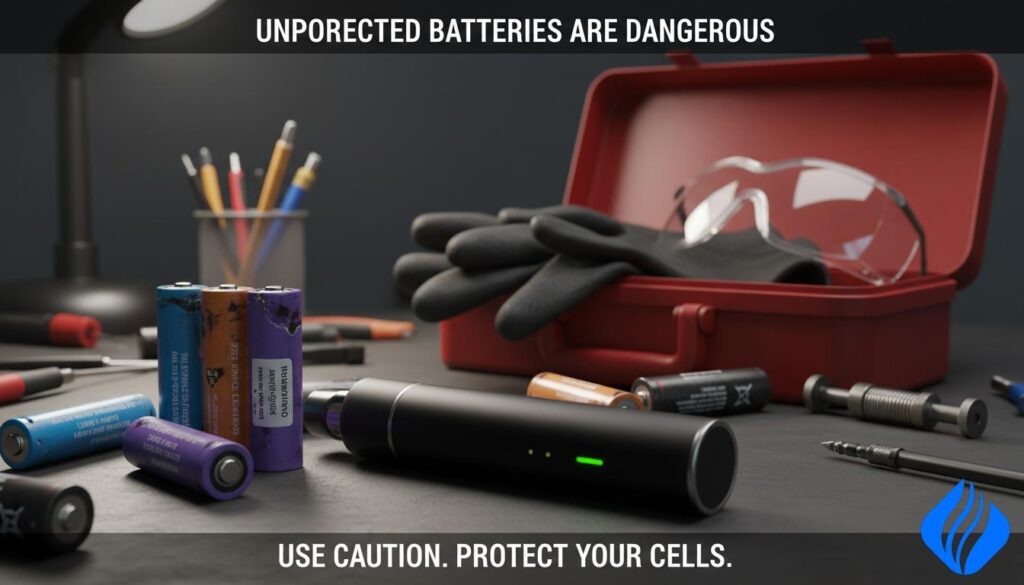
Key Takeaways
- Unprotected lithium cells lack a protection circuit; that raises short circuit and thermal runaway risk.
- Follow 2026 CE/RoHS charging protocols recommended by SOKVAPE techs.
- Use correct adapters and avoid loose cells in pockets or bags.
- Watch for heat, swelling, hissing, or leaks and stop charging at once.
- This guide covers Foger and Digiflavor steps, charge times, and a troubleshooting table.
Safety Disclaimer Box: Read Before Charging Any Vape Battery
Stop now if you see any unsafe signs. Follow these steps before you touch a charger or cell.
Before you plug in any removable cell, pause and verify the device and surroundings are safe.
Emergency warning signs
- Sudden heat or hot-to-touch surface
- Hissing, swelling, visible leaking, smoke, or venting gas
- Any odd smell or popping sound
If you observe any sign above: unplug power, move the device away from flammables if it is safe to do so, and do not continue charging “to see if it finishes.”
Stop-use conditions
- Torn or missing battery wraps or missing insulator ring
- Dents, punctures, corrosion at contacts, or any water exposure
- Loose or damaged charger connections
Why wraps matter: the wrap is a thin barrier preventing the metal battery body from shorting against conductive surfaces.
Medical note: burns can occur through clothing within seconds during a short. Ventilate the area and evacuate if toxic gases appear.
| Risk | Immediate Action | Retire/Recycling Needed? |
|---|---|---|
| Heat / Hissing | Unplug, move to safe area, monitor | No if resolved; Yes if repeats |
| Swelling / Leaking | Stop use, isolate, contact recycler | Yes |
| Corrosion / Water damage | Do not charge, dry only by professional | Yes |
Final rules: no overnight charging and avoid fast-charger bricks to protect against thermal runaway, fire, and explosion risk.
Why Unprotected Vape Batteries Are Riskier Than They Look
What “unprotected” means: a cell without a Protection Circuit Module (PCM) has no built-in cutoff for overcharge, over-discharge, or short circuit. That lack of a circuit places safety functions into the device and into your hands.
Practical contrast: protected vs. bare cells
Protected cells include a PCM that stops unsafe current and voltage conditions. Unprotected cells deliver raw output and are chosen for higher continuous discharge in some mods and devices.
Why high-drain use raises the stakes
Higher current draw creates more heat. That reduces tolerance for poor contacts, torn wraps, or incorrect charging. Under heavy load, a damaged cell is more likely to fail fast.
User responsibility and common locations
Unprotected removable cells are common in 18650 and 21700 setups. Regulated device electronics help, but they do not remove risk if the cell or holder is damaged.
- Store cells in a proper case and inspect wraps often.
- Use correct adapters and retire any dented or swollen battery immediately.
- Watch for counterfeit cells that overstate specs; they increase failure risk under load.
Bottom line: understand the limits of your cell and your device. Take simple, regular steps and you lower the chance of a serious incident.
how can unprotected vape batteries be dangerous in Real-World Charging and Carrying
A spare cell tucked into a pocket with keys can become a serious hazard in seconds.
Loose batteries pocket carry is a common care lapse. Metal objects such as keys or coins may bridge terminals and create a short circuit. That uncontrolled current heats the cell quickly and can burn fabric or skin.
Thermal runaway starts when internal heat breaks the separator. Gases vent and may ignite or cause an explosion. Once it begins, the reaction is hard to stop.
Overcharging above ~4.2V or over-discharging below ~2.5V destabilizes chemistry. Recharging an over-discharged cell raises failure risk even if it still powers a device.
Inspect battery wraps and insulator rings often. Look for nicks near the top cap or a missing ring. Exposed metal raises the chance that keys or coins will make contact.
| Hazard | Cause | Real-world sign | Immediate action |
|---|---|---|---|
| Short circuit | Loose cell + keys/coins | Rapid heat, smoking, sparks | Remove from pocket, isolate, do not touch |
| Thermal runaway | Overheat after short or abuse | Hissing, swelling, venting gas | Move to safe area, call recycler/fire service |
| Voltage damage | Overcharge / over-discharge | Poor capacity, warm at use | Retire and recycle cell |
- Prevention: use a battery case; never carry loose cells in a pocket.
- Use correct chargers and retire cells with torn battery wraps without negotiation.
Safe Charging Protocols for Vapes in the United States
A controlled charging routine reduces risk and extends battery life.
Default recommendation: always use a standard 5V/1A USB adapter or a computer USB port unless the manufacturer specifies otherwise. Do not plug your device into high-voltage phone wall adapters, fast chargers, or “smart” high-watt bricks. Those units may deliver unintended power profiles.
Before charging, run a quick checklist:
- Inspect the cable for frays and the port for debris.
- Confirm the device is dry and the battery area is cool to the touch.
- Position the device on a non-flammable surface such as a ceramic plate, metal tray, or stone countertop.
Supervision rule: never charge unattended or overnight. If you must leave, unplug first. Charger failures are rare but possible; monitoring reduces the chance of a fire event.
If the device gets hot, stop charging immediately and troubleshoot. Stable 5V/1A charging and avoiding heat events help preserve battery safety and extend usable life.
| Recommendation | Why | Immediate Action |
|---|---|---|
| 5V / 1A adapter or PC USB | Stable, low-stress charge profile | Use as default unless OEM specifies |
| No fast chargers / smart bricks | May push higher voltages or currents | Do not use with removable cells |
| Non-flammable surface & supervised | Reduces fire risk and allows response to heat | Unplug if device warms |
How Long to Charge a Vape Battery (Exact Guidance)
Quick reference: most pods and small cells finish in 30–90 minutes. Stop when the light turns green or the indicator shuts off. If it gets hot, unplug immediately. If overheating occurs, replace the battery base or the cable before reuse.
“Stop when the indicator shows full; heat is your cue to disconnect.”
Practical note: using the device’s built-in indicator prevents overfill and reduces wear. If a charge run regularly causes warmth, that signals worn hardware or damage and you should retire or repair the part in question.
How to Charge Foger Devices Safely (Including Switch Pro Modular Battery)
Foger separates the handheld device from a removable power module. The module docks into the device base and the combined unit defines charging behavior and status lights.
Foger modular basics:
- The main device hosts controls and the module supplies power.
- Charging only works when the module seats firmly in the housing.
LED indicator meanings
Red/Blinking = Charging; Green/Off = Full. Trust those signals. If the LED is erratic, stop and inspect connections.
Best practices to extend battery life and prevent overheating
- Always use a 5V/1A USB source in the United States unless the OEM instructs otherwise.
- Seat the module fully and confirm a steady Red/Blinking before leaving it; do not charge unattended or overnight.
- Mild warmth during charging is normal. Hot-to-touch is not. Unplug immediately if it becomes hot and retire the module if this repeats.
- Keep contacts clean and dry, remove pocket lint, and avoid soft surfaces that trap heat.
- Replace the base or module if you notice rapid drain, repeated overheating, or erratic LED behavior.
| Issue | Cause | Action |
|---|---|---|
| Intermittent charging | Poor seating or dirty contacts | Reseat module, clean contacts with isopropyl, test again |
| Overheat while charging | Faulty module or wrong adapter | Unplug, cool, replace module/base, use 5V/1A |
| LED behaves erratically | Damaged connector or failing cell | Retire module and recycle safely |
We recommend regular inspection and conservative charging to preserve life and safety.
How to Charge Digiflavor BRK/Off Stamp: Pod + Battery Base System
The Digiflavor BRK/Off Stamp uses a two-piece design: a 200mAh pod and a 1000mAh magnetic battery base.
The base is the primary power reservoir and the pod draws energy through a magnetic link. This means the 200mAh pod charges via the 1000mAh magnetic base, not directly like a single-piece device.
System overview
Pod + Battery Base (magnetic connection)
- The pod holds the e-liquid and the small cell.
- The base stores larger capacity and supplies power when docked.
- Magnets align the parts and give the electrical path through metal contact points.
Correct flow and sequencing
- Fully charge the base using a 5V/1A USB source in the United States.
- Seat the pod flush into the base until you feel a consistent magnetic snap.
- Verify the pod receives power (indicator or use the device briefly).
If the pod won’t accept a charge when seated
Stop and perform safe checks before forcing anything.
- Remove the pod and inspect for debris or lint.
- Wipe both contacts with a dry cloth or an isopropyl swab; let dry.
- Try a known-good cable or adapter; swap to a different USB source.
- Confirm firm magnetic seating — no rocking or crooked fit.
- If pins or magnets look bent or damaged, retire the part and replace the base or pod.
Safety note: do not use metal tools to pry connections or bypass the base. Damaged contact surfaces raise heat and failure risk. Store spare cells in a labeled case when not installed.
| Symptom | Likely Cause | Safe Action |
|---|---|---|
| Pod not powering when seated | Dirty or misaligned contact | Clean contacts, reseat, swap cable |
| Magnet feels weak / pod rocks | Bent pins or damaged magnet | Stop use; replace base or pod |
| Base heats while recharging | Wrong adapter or fault | Use 5V/1A, cool, retire if repeats |
The “Without Battery” Hack: What Not to Do and What to Do Instead
Attempting a DIY power bypass turns a small fault into a major hazard. People search for shortcuts when a module fails, but improvised wiring is not a safe fix. It creates exposed conductors and unpredictable currents that lead to rapid failures.
Why DIY wiring is risky
Improvised leads can bypass regulation and make a short circuit. That sudden surge may trigger thermal runaway and produce flames or a fast spread of heat.
Common unsafe behaviors include twisting wires onto contacts, taping conductors, and using random power supplies on soft or flammable surfaces. These actions raise the chance of fire and permanent damage to your device or nearby items.
What to do instead
Use the original magnetic charging dock or buy a replacement base/module made for your model. These parts preserve the built-in protections and electrical pathways designed for safe charging.
When to replace, not repair: if the magnetic fit is loose, the LED blinks erratically, or the base heats while charging, retire the part and replace it. Retaining worn parts risks repeated faults.
Bottom line: avoid DIY bypasses. For proper safety, use correct adapters (5V/1A), supervise charging, and stop immediately if you detect heat, odor, or hissing.
| Unsafe Action | Risk | Safer Alternative |
|---|---|---|
| Twisting wires to contacts | Short circuit / fire | Use original dock or replacement base |
| Taping exposed conductors | High current spike / thermal runaway | Replace damaged part; do not jury‑rig |
| Random power supplies | Incorrect voltage, overheating | Use 5V/1A adapter and supervised charging |
Vape Charging Troubleshooting Table
Use this quick-reference chart to identify faults, confirm causes, and apply safe fixes fast. The rows below are written for mobile scanning and direct action.
Common issues and safe actions
| Problem | Likely Cause | Safe Fix |
|---|---|---|
| Not charging | Dirty contacts, damaged cable, worn base/module, wrong adapter | Clean contacts; swap cable; use a 5V/1A adapter; replace base or module |
| Blinking lights | Poor seating (magnetic systems), contact contamination, internal fault | Reseat pod/module; wipe contacts dry; stop use and replace if heat appears |
| Slow charging | Low-quality cable, weak USB port, damaged base | Use a known-good cable; plug into a direct 5V/1A wall adapter; avoid flaky USB hubs |
| Overheating | Wrong adapter/fast charger, failing cell, shorted contacts | Unplug immediately; move to a non-flammable surface; isolate and replace hardware |
| Won’t hold charge | Aged lithium chemistry or internal cell failure | Replace and recycle the cell; do not try deep-discharge tricks |
Quick checklist: clean contacts, swap to a known-good cable, confirm a 5V/1A source, and replace worn parts or bases. Monitor any device during the first minutes of a charge for warmth.
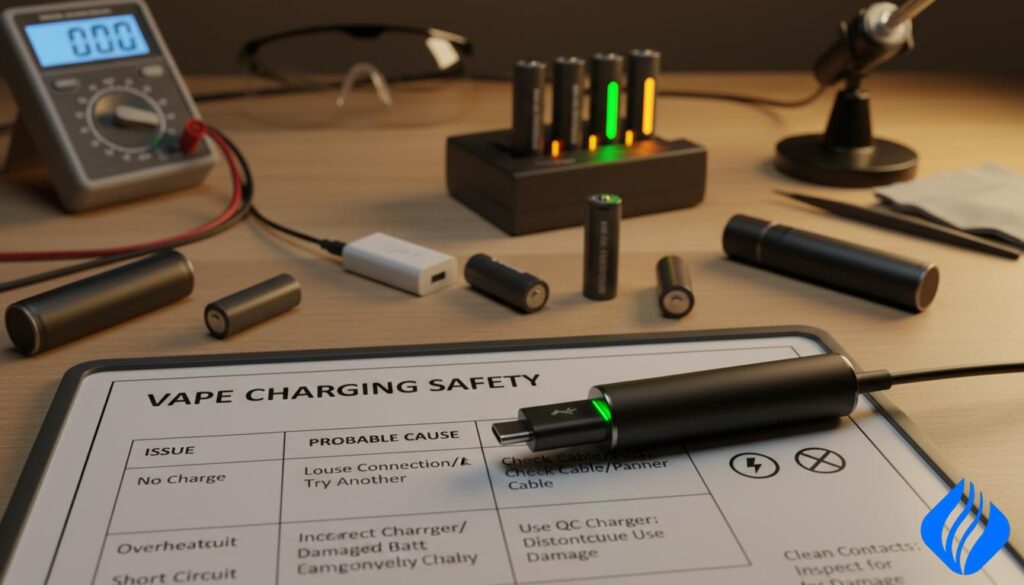
Final note: If you spot a torn wrap or bad wrap on a removable cell, stop using that cell. Rewrap only if you have the correct tools and skills. Otherwise, recycle the cell through a certified program.
Battery Life, Storage, and Replacement Timing for Lithium-Ion Vape Batteries
Expect steady decline after several hundred full charge cycles; plan replacements.
Life span: most lithium-ion vape batteries last about 300–500 charge cycles. That typically equals roughly 6–12 months of normal use. Heavy use or repeated heat exposure shortens that window.
Storage rules
Do not carry loose batteries in pockets or bags. You never carry loose cells near metal objects that could bridge the terminals.
Store batteries in a non-conductive battery case when not installed. Keep spares separate from keys, coins, and other metal items.
Heat avoidance
Avoid leaving cells or devices in direct sunlight or hot cars. High temperatures speed aging and raise failure risk.
Store cool, dry, and away from windows or dashboards to preserve capacity and safety.
When to retire a cell
Stop using and recycle any cell that shows swelling, dents, torn wraps, corrosion, leaking, unusual warmth during use or charging, or rapid drain.
Internal battery devices such as many disposable vape units are replaced as a whole. Modular systems use removable cells or modules; replace the specific part showing faults.
| Trigger | Sign | Immediate Action | Disposition |
|---|---|---|---|
| Wrap damage | Torn or missing insulation | Do not use; place in case and isolate | Recycle |
| Physical abuse | Dents or punctures | Stop use, avoid charging | Recycle |
| Thermal issues | Warm to touch or heat while charging | Unplug, cool on non-flammable surface | Replace if repeats |
| Performance loss | Rapid drain or low capacity | Replace cell or device | Recycle old unit |
Final guidance: store batteries in a dedicated case, avoid direct sunlight and hot cars, and retire any cell that shows physical or thermal damage. When in doubt, replace and recycle—safety first.
Conclusion
Treat each charge as a safety step: inspect parts, seat modules firmly, use a 5V/1A USB source, and stay present while charging.
We recommend never using fast chargers or jury‑rigged wiring. Replace any failed base, pod, or mod rather than bypassing the circuit. DIY fixes invite short circuits and thermal events.
For Foger, confirm steady LED behavior and full seating. For Digiflavor BRK/Off Stamp, trust the magnetic base to power the pod and keep contacts clean. Those checks stop most faults.
Avoid loose carry, keep wraps intact, store spares in a labeled case, and retire any swollen or damaged cells. If you sense heat, smell, swelling, or erratic lights, stop charging and replace components.
Final note: this guide favors conservative routines. Inspect, charge, store, and replace—those steps prevent fires, burns, and device loss across all vape devices.
 English
  German
  Dutch
Dutch  Danish
  Czech
Czech  Italian
  Slovenian
  French
  Hungarian
  Spanish
  Polish