

Struggling to charge your Foger device safely? Improper charging is the #1 cause of vape battery degradation and safety incidents.
Most lithium-ion cells used in common mods deliver about 300–500 full charge cycles. For many U.S. users, that equals roughly 6–12 months of regular use. Disposables often run about 3–5 days or until e-liquid finishes, typically advertised near 300–600 puffs.
We wrote this guide with SOKVAPE technicians using 2026 CE/RoHS safety standards. Our aim is safety-first charging advice with clear, technical steps for Foger modular cells and Digiflavor pod plus magnetic base systems.
Expect shorter runtime, slower recharge, and weaker hits as a cell ages. Factors that change service life include mAh, wattage, coil resistance, heat exposure, and charging habits. We emphasize conservative charging and proper chargers to avoid overheating or damage.
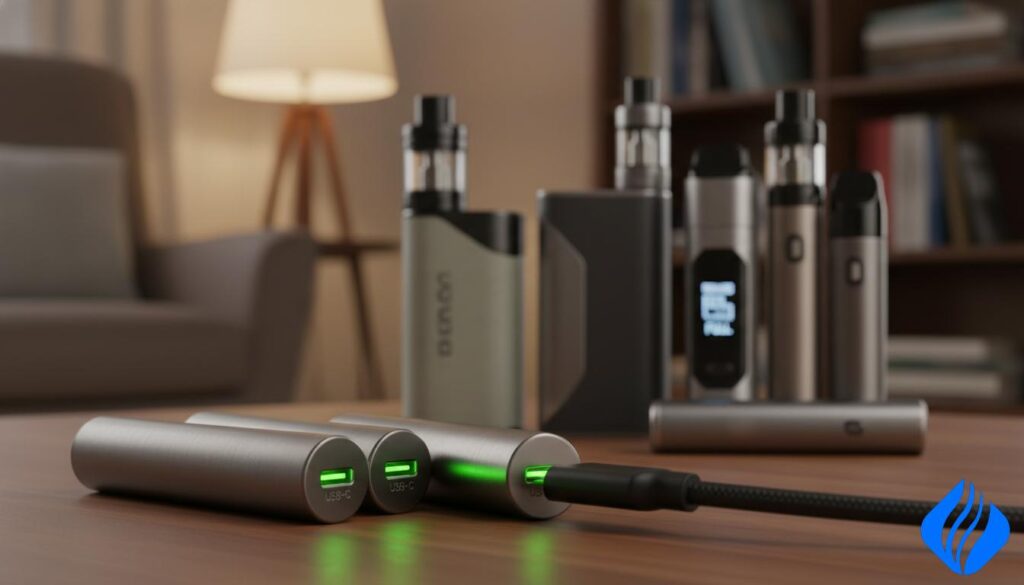
Key Takeaways
- Most lithium cells last ~300–500 cycles, about 6–12 months for typical users.
- Runtime and lifespan are different—one is daily use, the other is months until capacity drops.
- Watch for shorter runtime, slow charging, and weak output as warning signs.
- Charge conservatively and use certified chargers for Foger and Digiflavor systems.
- DIY fixes and improper magnetic-base charging increase safety risk.
Safety Disclaimer Box: Read Before You Charge Any Vape Battery
A single unsafe charge can shorten a cell and create a serious hazard. Stop charging immediately if you see swelling, smell chemicals, hear hissing, or the device gets unusually hot. These are signs of failure that need professional inspection.
Important charging tips:
- Avoid high-voltage phone wall adapters. They can present incompatible voltage and power profiles. Use a conservative 5V/1A source or a computer USB port unless the manufacturer states otherwise.
- Do not leave a device charging unattended or overnight. Extended time at 100% accelerates wear and increases risk.
- Charge on a nonflammable surface with airflow. Keep chargers away from bedding, couches, and direct sunlight.
- Replace damaged cables, loose ports, or contaminated contacts. Faulty gear raises resistance and heat—do not wiggle connectors to force a fit.
- We do not recommend any “charge without battery” or DIY wiring. If a base or part is broken, replace the correct component rather than attempting a jury‑rigged fix.
This guidance supports safer everyday charging and basic care, but it does not replace manufacturer instructions or a professional check after impact or liquid exposure. We recommend following device-specific manuals and seeking service when in doubt.
How long do vape batteries last in real-world use
Cycle ratings tell a technical story, but users want clear expectations for months of service. A standard lithium-ion cell used in many devices averages 300–500 charge cycles. Translated for most U.S. vapers, that typically means about 6–12 months of useful battery lifespan under normal habits.
What a “cycle” is: One cycle is roughly one full 100%→0% discharge equivalent. Topping off counts toward that total, so many short charges add up to full cycles over time.
Disposable vs rechargeable
Disposables measure “battery lasts” by e-liquid and puff count, often around 3–5 days or 300–600 puffs depending on draw length. Rechargeable devices report runtime between charges (battery life) and the overall calendar lifespan (battery lifespan), which are different things.
- Integrated devices may require replacing the whole device when capacity fades.
- Removable cells let you swap a worn cell and keep using the device.
Simple aging signals
If your vape pen charges oddly, drains faster, runs warmer, or produces fewer hits at the same settings, those are clear signs the cell is ageing. Stop using any device that heats abnormally and seek a replacement or professional check.
“When performance drops sharply, treat it as a safety issue rather than a nuisance.”
What affects battery life: capacity, power, habits, and heat
Understanding the main drivers helps you extend service life and avoid unsafe wear.
mAh rating and battery capacity: mAh measures stored energy. Higher mah usually gives a longer runtime between charges for small pod kits and larger mods. A higher battery capacity often means longer use, but it also requires more time to refill from empty.
Wattage and power output
Higher wattage increases power draw and makes the cell work harder. That raises heat and shortens the time you can use the device before recharging.
Lower-resistance coil setups demand more current. The same battery can feel weak on a low-resistance coil or at higher output settings.
Usage patterns and habits
Light users will see fewer charge cycles per month than heavy users. Chain sessions and frequent top-offs add up and burn through the total rating faster.
Storage and temperature
Store cells at room temperature. Heat speeds chemical aging and swelling. Cold reduces immediate output and can cause condensation in the device.
- Match mah rating to daily needs—don’t overbuy capacity you won’t use.
- Lower wattage when possible to reduce stress and heat.
- Avoid chain sessions and let the device cool before charging.
- Keep storage stable; avoid leaving units in hot cars or freezing areas.
Practical takeaway: Choose the right battery capacity, reduce unnecessary power draw, and store at stable temperatures to get the best service life and safer performance.
Safe charging protocols that prevent damage and overheating
Safe charging starts with the right power source and a short visual check before you plug in. Follow a simple routine to cut heat, reduce wear, and protect the cell.
Use the right power source
Avoid high-voltage phone wall adapters. These adapters can negotiate higher voltage and power than your device expects. That extra stress raises temperature and speeds chemical wear.
Recommended charging spec
Choose a low-stress 5V/1A source or a computer USB port for most pod kits and small mods. This conservative option limits heat and reduces the chance of erratic behavior during a session.
Practical protocol to follow
- Inspect cable and port for damage or debris.
- Connect firmly and place the device on a hard, nonflammable surface.
- Watch the first minutes for unusual heat or blinking LEDs; stop if either appears.
Clean contacts and avoid unattended charging
Keep ports clear with a dry cotton swab or compressed air. Do not use metal tools.
Do not charge overnight or leave the device unattended. Unsupervised charges raise the risk of failure and shorten the battery’s usable life.
“Stop charging immediately if the device gets hot, the LED behaves oddly, or the port feels loose.”
| Charger Type | Typical Voltage | Risk Level |
|---|---|---|
| Computer USB port | 5V / ~0.5–1A | Low |
| 5V / 1A wall charger | 5V / 1A | Low–Medium |
| Fast-phone wall adapter | 5V–20V negotiable | High |
Quick tips: Inspect before each charge, use the recommended charger, and practice basic care. These steps help your vape battery and batteries perform safely over time.
How long to charge a vape: realistic timing without killing your battery
Charging time depends on three limits: battery capacity (mAh), charger output (power), and the device’s internal charging limit. Do not guess by feel. Specs determine timing, not warmth or LED behavior alone.
Smaller pod systems reach full charge faster than large cells. Aging cells may charge slower or stop inconsistently. If the device becomes hot, unplug and inspect—rapid heating is a safety red flag even when charge seems fast.
Charging time depends on mAh, power source, and device limits—not guesswork
Practical routine:
- Check the device mAh and the charger’s rated current before each session.
- Prefer conservative charging (5V/1A) to reduce heat and stress.
- Charge in shorter sessions when convenient and unplug soon after the indicator shows full.
How long to charge (exactly 40 words)
Charge your vape until the indicator shows full, then unplug promptly. Most devices take 30-120 minutes, depending on mAh capacity and a 5V/1A source. Avoid overnight charging, and stop if the device becomes hot or erratic.
| Battery Capacity (mAh) | Typical Time (5V/1A) | Notes |
|---|---|---|
| 200–400 | 30–60 minutes | Small pod kits top up quickly |
| 500–1500 | 60–120 minutes | Larger cells need more time; avoid fast adapters |
| Old / degraded | Variable | May charge slowly or stop early; inspect for heat |
How to charge Foger vapes safely: Switch Pro and modular battery basics
Foger Switch Pro and similar modular kits separate the cell from the housing, so charging depends on proper seating and clean contacts. Treat the module as a replaceable component. Correct alignment prevents loose contact and heat buildup.
Understanding the modular battery setup on Foger devices
Many Foger devices use a removable battery module. This lets you swap worn cells without replacing the entire unit.
Ensure the module is fully latched before charging. Dirty or wet contacts can cause intermittent charging and extra resistance.
Foger LED indicator colors: Red or blinking means charging
Red or blinking shows the unit is charging. Keep the device on a stable, nonflammable surface while you monitor the first minutes.
Foger LED indicator colors: Green or off means fully charged
Green or LED off means the module reached full capacity. Unplug promptly to avoid extended time at 100% and reduce stress on the battery.
Common Foger charging mistakes that shorten battery life
Avoid these frequent errors:
- Using fast-phone adapters that negotiate higher voltage or power.
- Charging in hot environments like a parked car or direct sun.
- Using damaged cables or loose ports that raise resistance and heat.
- Charging immediately after heavy use while the device is still warm.
Step-by-step charging for modular designs:
- Inspect module and contacts; dry and clean if needed.
- Confirm the module is latched and snug in the housing.
- Connect to a conservative 5V/1A USB source. Avoid high-voltage chargers.
- Watch LEDs; unplug when green or off.
“If a module shows swelling, cracks, or intermittent contact, stop charging and replace the module rather than forcing a fit.”
Outcome: Proper alignment plus conservative power helps your vape battery perform safely and last longer by reducing overheating and chemical stress.
| Item | Recommendation | Risk if ignored |
|---|---|---|
| Power source | 5V / 1A USB | High-voltage adapters can overheat cell |
| Module seating | Fully latched, clean contacts | Intermittent charging, added resistance |
| Cable condition | Use intact, certified cable | Loose fit, heat, possible failure |
How to charge Digiflavor BRK/Off Stamp devices: pod + battery base system
Digiflavor uses a split system: a 200mAh pod docks to a 1000mAh magnetic base that acts as the device’s main power reservoir. This means the small pod does not charge from a wall outlet directly. Instead, the base holds the primary battery and feeds the pod when docked.
How the Digiflavor “Pod + Battery Base” system works
The magnetic base contains the larger cell and the USB input. The pod contains the coil and the 200mAh cell that tops from the base when seated. Base charge and health control pod runtime and overall capacity.
Charging path explained
200mAh pod → 1000mAh magnetic base → USB 5V/1A source. Charge the base first with a conservative 5V/1A adapter. Then dock the pod so power flows cleanly from base to pod.
Best practices for magnetic contact alignment
- Let magnets snap into a flat, flush seat; if it rocks, re-seat it.
- Wipe gold contacts with a dry swab; remove residue and let dry fully.
- Never force or jury‑rig a connection. Substituting random wiring risks shorting and thermal failure.
“If the pod dies quickly while the base shows full, check contacts and alignment before replacing parts.”
Vape Charging Troubleshooting Table: fixes for “not charging,” blinking lights, and weak battery
Use this diagnostic guide to check simple, low-risk causes first. Start with visible items before assuming a cell or device is dead.
When your device won’t charge
Inspect the cable, port, and power brick. Look for frays, debris, or bent pins. Swap to a known 5V/1A USB source. Clean contacts with a dry swab. If LEDs still blink, test another cable or port.
Why the battery drains fast
High wattage, low-resistance coil setups, and heavy sessions speed depletion. Extreme temperature and poor storage also reduce battery life and lifespan. Ageing cells show reduced runtime and slower charge acceptance.
The “without battery” hack — a strong warning
Do not attempt DIY wiring or charging without the correct cell. That trick can short lithium cells, cause overheating, and start a thermal event. Replace the base or module instead.
Safer alternatives
Use the original magnetic charging dock or buy a manufacturer-matched replacement base. For external batteries, stop using cells with torn wraps and use an approved charger only.
| Symptom | Likely cause | Quick fix |
|---|---|---|
| Not charging | Bad cable/port | Swap cable, clean port |
| Blinking light | Bad contact/overcurrent | Reseat module, try 5V/1A |
| Fast drain | High wattage/old cell | Lower power, replace cell |
Stop conditions: swelling, repeated overheating, liquid intrusion, or loose ports mean replace the unit or seek professional service.
Conclusion
Expect noticeable capacity decline after several hundred full charge cycles. If you asked “how long do vape batteries last,” plan for about 300–500 cycles, commonly equal to roughly 6–12 months depending on use and heat exposure.
Your daily runtime depends on mAh and settings, while overall lifespan hinges on temperature, charge habits, and depth of discharge. Use a conservative 5V/1A source or a computer USB port unless the manufacturer states otherwise.
For Foger modular devices, seat the module correctly and watch LEDs (red/blink = charging; green/off = full). For Digiflavor, keep the 200mAh pod and 1000mAh magnetic base clean and aligned.
Do not attempt any “without battery” hacks. Use the original magnetic dock or a model-correct replacement. Clean ports, replace worn cables, and stop using any cell that runs hot or shows damage to protect your device and your safety.
 English
  German
  Dutch
Dutch  Danish
  Czech
Czech  Italian
  Slovenian
  French
  Hungarian
  Spanish
  Polish