

Struggling to figure out how to charge your Foger safely? Improper charging is the #1 cause of vape battery degradation and safety incidents. This guide validates your search for clear charging and battery safety steps. We promise a technical, practical solution you can use today.
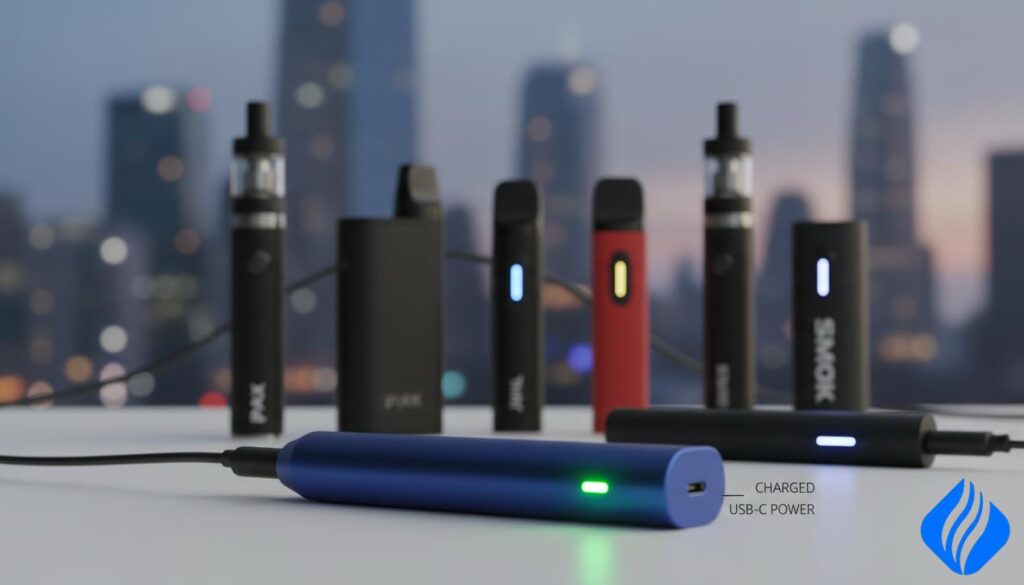
Reports tie most explosions to lithium-ion battery failure driven by overcharging, wrong chargers, physical damage, or counterfeit parts. Multiple products get named in headlines, but a logo alone rarely explains the failure. We frame this as a harm-reduction Buyer’s Guide.
Compiled by SOKVAPE technicians using 2026 CE/RoHS safety standards, we explain why cells fail, which behaviors increase risks, and how to charge Foger and Digiflavor devices safely under US power rules. You will learn how to spot risky products, avoid counterfeit batteries, and know when to retire a device.
Key Takeaways
- Most incidents trace to battery failure, not a single logo.
- Use correct chargers and avoid damaged cells to lower risks.
- SOKVAPE technicians follow 2026 CE/RoHS guidance for safe charging.
- Learn specific charging steps for Foger and Digiflavor systems.
- Check for short-circuit protection and verified quality cells before buying.
Safety Disclaimer Box: Read Before Charging Any Vape Pen
Stop use and isolate any unit that:
- feels unusually hot, shows dents, or has torn wraps on removable cells;
- leaks e-liquid onto contacts or emits a burnt smell;
- has visible damage after a fall or short circuit.
Immediate steps after an incident:
- Move people and flammable items away.
- Ventilate the area and avoid inhaling smoke.
- Do not touch a venting cell with bare hands; use tongs or insulated gloves.
When to get urgent care: burns to face or hands, breathing difficulty after smoke exposure, eye injury, or dental/facial trauma.
This guide aims to reduce harm, not to replace professional help
Even careful users can face battery failure. Many reported incidents involved second-degree burns and facial injuries. User error and improper charging commonly contributed to accidents.
Baseline rules to lower risk
- If you cannot verify a charger, cell, or device history, treat it as higher risk and replace it with authenticated components.
- Minor heat during charging is not normal; warmth can signal stress, poor contact, or an incompatible power source.
- Avoid DIY workarounds that bypass protection circuits — these increase the chance of serious accidents.
Why Vape Pen Batteries Explode: The Real Causes Behind the Headlines
Most sudden vape incidents begin at the cell: an internal fault or overheating that runs away fast.
Thermal runaway is simple to picture. When a lithium-ion battery overheats, chemical reactions accelerate. The cell can vent hot gases, ignite, and rupture in seconds.
Common triggers you can control include wrong charger voltage or current, overcharging, and charging immediately after heavy use. These increase internal stress and raise the chance of failure.
Lifestyle and device triggers
Chain vaping and high wattage settings raise internal heat. Pen layouts put the cell near the heater, so heat compounds quickly. Higher draw equals more internal heating and more risk.
Loose batteries in pockets present a clear danger. Coins or keys can short a cell instantly. Body heat and pressure make outcomes worse.
DIY and protections
Rebuildable coils can create hard shorts if built or mounted incorrectly. Regulated mods often include short circuit protection, but damaged, counterfeit, or bypassed batteries still fail.
- Do: let a device cool before charging; use correct chargers; store cells in a case.
- Don’t: chain vape until hot, charge a warm device, or carry loose batteries with metal objects.
What brand of vape pens are exploding: Brands, Reports, and What Those Cases Really Mean
Media reports often list specific names, but deeper patterns point to battery, charger, or counterfeit failures behind many incidents.
Brands often named — and why naming is not proof
Commonly mentioned names include SMOK, Wismec, Kangertech, iJoy, eGo, Sigelei (Fuchai 213), CoilART Mage, and niche models like NovoVape Phantom and Wotopho Phantom.
Listing a model in a report does not prove the manufacturer caused the fault. Faults frequently start with a poor cell, a wrong charger, or a fake replacement part.
Cheap, unregulated products and counterfeit risk
Unregulated products sold online or at convenience stores may lack overcharge and short protections. These products can fail even under routine charging and use.
“Counterfeit cells often overstate capacity and omit internal safety features, which raises the chance of rapid failure.”
How to verify authenticity and reduce battery risk
- Buy from authorized retailers and check for clear compliance labels.
- Scan serial or QR codes when present and confirm packaging quality.
- Avoid suspiciously low prices; inspect the charging port and documentation for safety features.
| Check | What to look for | Why it matters |
|---|---|---|
| Seller | Authorized dealer or manufacturer site | Reduces chance of counterfeit parts |
| Labeling | CE/UL markings, serial number, QR code | Shows compliance and traceability |
| Battery details | Realistic mAh, visible cell brand, intact wrap | Authentic cells have reliable internal construction |
| Packaging | High-quality print, tamper seals | Poor packaging often signals counterfeit |
Buyer’s checklist: verified seller, clear compliance labeling, intact charging port, and documented overcharge/short protections. Once you reduce counterfeit risk, correct charging practices are your next line of defense.
Safe Charging Protocols That Reduce Explosion Risk (US Power Standards)
Follow a clear US power rule: avoid high-voltage phone wall adapters. Prefer a 5V/1A adapter or a computer USB port to limit charging stress and reduce overheating risk.
Always use the manufacturer-recommended cable and charger when possible. Mismatched charging gear can push unsafe current, especially in low-cost devices.
Practical rules you must follow
- Never use the device while charging.
- Don’t charge while the unit is still warm.
- Charge on a hard, nonflammable surface. Do not leave unattended or charge on beds or sofas.
If your vape gets hot during charging
- Unplug safely and move the unit to a ceramic or metal tray.
- Let it cool completely and inspect the cable, port, and battery condition.
- If heat repeats, stop use and replace the power source or device.

| Symptom | Likely cause | Action |
|---|---|---|
| Device gets hot while charging | Wrong adapter/high current, port damage, internal fault | Unplug, cool on metal tray, switch to 5V/1A, discontinue if repeats |
| Charging stops or LED intermittent | Dirty contacts, lint, loose cable | Power off, clean port gently, try known-good cable |
| Burning smell or hissing | Cell venting / thermal runaway | Evacuate area if needed, call emergency services if fire risk |
| Swollen body or pod | Battery damage | Stop use, follow local battery recycling rules |
Note: poor contact from lint or e-liquid raises resistance heating. Regularly inspect ports and keep charging contacts clean to limit risk accidents and other safety issues.
How to Charge Foger Vapes Safely (Including Switch Pro Modular Battery Systems)
We recommend a quick inspection before every charge. Many Foger models, including the Switch Pro, use a modular battery system. That design makes clean connections and intact modules essential for safe charging.
Modular battery basics: what to check before you plug in
- Visual check: look for dents, swelling, cracks, or moisture on the module and device body.
- Port and contact: confirm the charging port is clean and the cable seats without force.
- Fit and play: ensure modules lock solidly—loose connections raise heat and wear.
Foger LED indicator colors
Red/Blinking (Charging); Green/Off (Full). Do not “top off” for hours after the LED shows full. Follow the indicator and unplug promptly to reduce stress on the batteries.
How long to charge
Most Foger devices finish charging in 45-90 minutes, depending on battery size and your power source. Watch the LED: red or blinking means charging. Green or off means full. Unplug promptly, let it cool, then use.
Charging best practices and what to do if it warms up
- Use a 5V/1A adapter or a computer USB port. Avoid high-output fast chargers even if they fit.
- If the module warms, unplug immediately and place the unit on a nonflammable surface to cool.
- After cooling, inspect the cable, port, and module. Do not resume charging until you confirm proper contact and no visible issues.
Replacement cue: if charge time changes dramatically or the device heats repeatedly, treat it as signs the battery is aging and plan a replacement.
How to Charge Digiflavor BRK/Off Stamp Safely (Pod + Battery Base System)
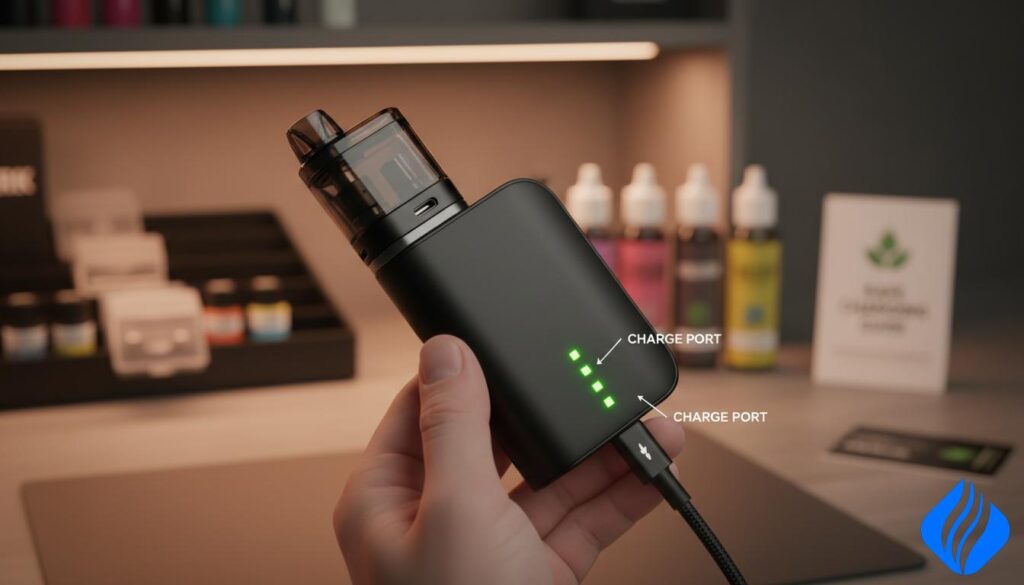
The BRK/Off Stamp uses a two-part design: a ~200mAh pod charges through a 1000mAh magnetic base that also manages current and protection.
System basics and alignment
Architecture: the pod holds ~200mAh and draws charge from the 1000mAh magnetic base. The base is the charging gate and adds safety features you rely on.
Alignment rule: always seat the pod flat and stable on the magnets. If it wobbles or won’t sit flush, stop. Misalignment causes poor contact, resistance heating, and repeated warm charging cycles.
Contact cleaning and prep
Power the base off before you clean. Keep contacts dry. Remove lint or residue gently from magnetic pins. Confirm the pod sits flush before you plug in.
Don’t try the “without battery” hack
Warning: DIY wiring to bypass the base removes protections and raises serious risk. User error and makeshift fixes can short cells and create thermal events. We do not recommend this under any circumstance.
Safe replacements and battery life
Prefer the original magnetic charging dock or a verified replacement base designed for this system. Use genuine parts to maintain safety and reliable charging.
| Item | What to expect | Why it matters |
|---|---|---|
| Pod | 200mAh | Small capacity; relies on base for safe charging |
| Base | 1000mAh magnetic dock | Provides current control and protection |
| Battery life | 300–500 cycles (~6–12 months) | Plan replacement; heat and fast charging shorten life |
Storage reminder: avoid loose batteries or pods in pockets with metal objects. Prevent debris on contacts and avoid pressure that can misalign parts. Good habits lower risks and extend battery life.
Conclusion
Conclusion
Clear routines protect you more than headlines. Use the right charger (5V/1A or a computer USB). Never use a device while charging. Do not charge when the unit is warm.
Remember: many incidents link to poor cells, counterfeit parts, or bad charging habits — not a single logo. For Foger, keep contacts clean and trust LED signals (red/blink = charging; green/off = full). For Digiflavor BRK/Off Stamp, seat the pod flush and rely on the base for protection.
Do not attempt wiring hacks that bypass protection. If charge times shift, the device heats, or contacts are damaged, retire the product and replace parts from verified sellers.
Practice disciplined storage, check authenticity, and you will cut risks and reduce the chance of accidents.
 English
  German
  Dutch
Dutch  Danish
  Czech
Czech  Italian
  Slovenian
  French
  Hungarian
  Spanish
  Polish