

Why did my vape stop working is a top search for users facing a dead device. We open with a quick diagnostic flow: check charge, examine airflow, then test coil and contacts.
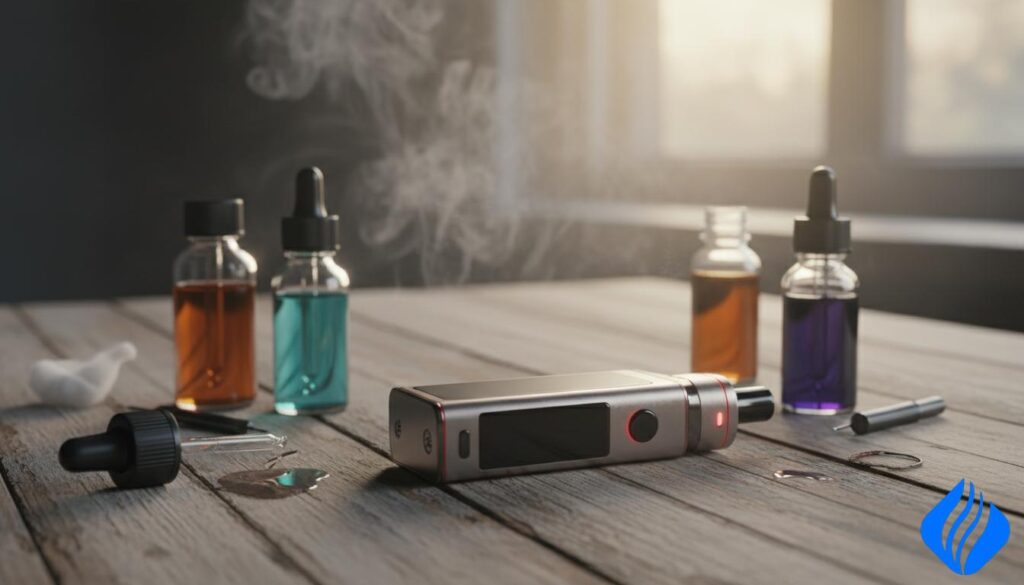
We base recommendations on hands-on testing and technical credibility. Many dead-device issues have simple causes. Start with battery level and connection points before deeper fixes.
Safety first: nicotine is addictive and this guide is for adults 21+. Handle batteries and chargers with care. We will not suggest unsafe battery hacks or forcing mismatched coils.
Expect a short path for quick fixes, followed by deeper troubleshooting for refillable pods, tanks, and rechargeable disposables. Our product-testing preview compares puffs-per-dollar and flavor consistency across leading brands.
Key Takeaways
- Begin with power checks: battery charge and contacts.
- Assess airflow and mouthpiece for blockages.
- Coil health and liquid viscosity often cause weak vapor.
- Refillable systems differ from disposables; follow device limits.
- We avoid unsafe battery or coil shortcuts; safety is primary.
Quick triage before you assume your vape is broken
Start a 60-second triage that targets the fastest, highest-probability fixes: power, activation, airflow, then contacts. We keep steps short so you can rule out common faults without tools.
Check battery level and charging basics first
Make sure the battery has charge. Low power can mimic a dead device on fixed-output models.
Use the original charger and cable when possible. Do not use damaged cords. If the cable or device feels hot or swollen, stop charging and unplug immediately.
Confirm the device is on or locked
Many devices use 3–5 rapid clicks on the power button to switch on. Try that pattern before deeper checks.
Lock modes prevent accidental firing. A locked device will not show normal LED or screen behavior.
Look for blocked airflow or a clogged mouthpiece
Locate intake holes and ensure fingers aren’t covering them. Blow gently through the mouthpiece and wipe with a tissue to clear debris.
Inspect for e-liquid in the contacts or connection points
Condensation or liquid on terminals breaks the circuit. Wipe terminals dry with a cotton swab or tissue and reseat the pod or tank.
| Quick Check | What to look for | Action |
|---|---|---|
| Power | LED off; no screen wake | Charge for 10–15 minutes with proper charger |
| Button / Lock | No response to clicks | Try 3–5 clicks; consult manual for lock pattern |
| Airflow / Mouthpiece | Weak or no draw | Blow through and wipe mouthpiece |
| Contacts | Visible liquid or grime | Dry with cotton swab and reconnect |
Success after triage looks like normal LED behavior, a waking screen, regular draw resistance, and normal vapor production. If problems persist, proceed to deeper troubleshooting.
why did my vape stop working after it was working fine?
A device that worked fine yesterday can show specific failure modes that point to power or contact issues. We examine the common mechanical and electrical causes so you can decide whether to fix or replace a part.
Low power and power sag
Low charge in the battery reduces output on many mods and pods. A reduced current raises coil resistance under load, so the unit feels dead even when it powers on.
Residue on coils and contacts raises resistance
Liquid residue and burnt deposits on a coil or the connection points increase electrical resistance. That reduces heat at the coil and lowers vapor production.
Cleaning visible grime with a cotton swab and reseating the pod or coil often restores function.
Mechanical wear: threads, pins, and springs
Worn 510 threads, collapsed center pins, or weak spring‑loaded contacts lead to intermittent or no connection. Drops and over‑tightening accelerate this wear.
- Fixable: cleaning contacts, replacing coils/pods, reseating parts.
- Replace: stripped threads, bent pins, recurring shorts after fresh consumables.
Decision rule: if cleaning and a new coil or pod do not restore normal output, the device or mod likely needs repair or replacement.
Vape won’t turn on or screen stays blank
Begin troubleshooting a non‑powering device by confirming charge, button patterns, and connector cleanliness. We keep checks simple so you can rule out common faults fast.
Power‑button click patterns and common lock modes
Try 3–5 quick clicks on the power button. Many units use that pattern to toggle power or lock modes.
If the screen shows a lock icon or the device ignores clicks, consult the menu or manual. A locked mod or pen will not fire.
Battery is depleted, failing, or not making a solid connection
A blank display can mean deep discharge, a faulty battery, or a poor charging path. Inspect the charger and cable for damage.
Try a known‑good cable and outlet. If charging does not restore power, the battery may need replacement.
510‑thread and pod contact cleaning steps
Power off the device before cleaning. Remove the tank or pod and dry contacts with a tissue or cotton swab.
Wipe 510 threads, the center pin area, and copper pads on pods. Ensure no visible e‑liquid remains. Reinstall and test.
“Clean contacts and a proper charge fix most blank‑screen faults.”
- Startup checklist: verify charge, try 3‑ and 5‑clicks, then check for menu lock.
- Inspect the charging port for lint and swap to a known charger before assuming failure.
- If the unit still won’t power on after good charge and clean contacts, replacement is safer than repeated attempts.
For more step‑by‑step guidance on restoring a dead device, see how to fix a dead device.
No vapor, weak draw, or “not getting any vapour when you draw”
When you pull and get little or no vapor, follow a quick three‑point check to isolate the fault.
Airflow intake and simple fixes
Open the adjustable airflow and confirm intake holes are clear. Fingers or clothing often cover intakes during use.
Blow through the mouthpiece to dislodge lint and debris. Remove the pod or tank and wipe ports with a tissue.
Mouthpiece blockage and fast cleaning
Pocket lint or dried e‑liquid can block the mouthpiece. Remove, blow through, and wipe the inside with a cotton swab.
Reduced output: ECO modes and low battery
Many modern devices reduce output when battery charge is low or in ECO mode. The unit may still fire but produce less vapor.
VG/PG balance and coil match
Thick, high‑VG vape juice needs low‑resistance coils for good wicking. Use ≤0.9Ω coils with 70%+ VG.
For 50/50 or higher‑PG liquids, choose coils ≥1.0Ω to avoid flooding and inconsistent vapor.
| Symptom | Likely cause | Quick action |
|---|---|---|
| No vapor | Blocked intake or mouthpiece | Blow through and clean ports |
| Weak cloud | Low battery / ECO mode | Charge battery; disable ECO if available |
| Gurgling / flooding | PG/VG mismatch or coil issue | Match juice to coil resistance; replace coil if needed |
We treat these faults as airflow, power, or wicking issues. If problems persist, consult our guide on common vape issues for step‑by‑step checks.
Burnt taste, muted flavor, or harsh hits
Sensory signals guide the first checks. Burnt taste usually means the cotton is scorched or the coil is past its life. Muted flavor or thin hits point to residue, underpowering, or an aging coil.
Coil life and replacement cues
Coils are consumables. Expect flavor loss after regular use. If cleaning and fresh e-liquid do not restore taste, replace the coil or pod. Frequent burnt taste is a clear cue to swap parts.
Priming and wait time
Prime new coils by adding a few drops of vape juice to each visible cotton port or window.
Fill the tank or pod, assemble, and wait 5–10 minutes before the first draw. This prevents scorched cotton and immediate harsh hits.
Tank level and cotton exposure
Keep the liquid above the coil intake ports. Running low exposes cotton and produces dry, hot hits even at normal power settings.
Wattage vs resistance
Match power to the coil’s printed range. Too high will burn the wick. Too low can cause poor vaporization, flooding, and weak flavor. Make small adjustments and test.
| Symptom | Likely cause | Action |
|---|---|---|
| Burnt taste | Scorched cotton / old coil | Replace coil; prime new coil; wait 5–10 minutes |
| Muted flavor | Residue build-up or underpowering | Clean contact points; increase wattage slightly within range |
| Harsh hit | Low tank level exposing cotton | Refill tank; check cotton coverage; avoid dry pulls |
Leaking, spitback, bubbling, or gurgling noises
Audible bubbling and wet hits are a common sign of a flooded coil rather than a failed device. These sounds usually come from excess vape juice entering the airway or coil chamber.
Overfilling and pressure that floods the coil
Avoid filling to the top. Leave headspace to reduce pressure swings that push liquid into the coil.
Overfilling or rapid temperature changes force juice into the air path. That causes gurgles and spitback.
O-rings, seals, and cracks to inspect
Check O-rings, silicone gaskets, pod plugs, and all seals. Replace missing or damaged rings immediately.
Stop using cracked hardware. Hairline cracks leak unpredictably and are a safety risk.
Cross-threading and proper tightening
Prevent cross-threading by turning parts half a turn counterclockwise until you feel a click, then tighten. That avoids micro-gaps that leak.
Clearing a flooded coil safely
Remove the pod or tank. Hold a tissue at the airflow and blow gently through the mouthpiece to clear excess liquid.
If spitback continues, replace the coils and test at slightly higher wattage within spec. Low power can worsen spitback; degraded coils can also spray.
“Treat leaks as wicking and seal faults first, not immediate device failure.”
- Quick checklist: headspace, O-rings, cracks, correct threading, clear flooded coil.
- If sealing fails after these steps, replace the tank or pod to restore a safe connection.
Check atomizer, no coil, or shorted warnings
An atomizer error generally marks a connection or resistance mismatch that the device’s safety systems caught. This message rarely means instant failure. It usually points to detection failure, out‑of‑range resistance, or a short‑protection trigger.
What “Check Atomizer” really means
The screen is telling you the mod cannot detect a proper coil. That can be a dirty contact, a misaligned pod, or a failed coil. It may also mean the resistance reported is outside the device’s safe range.
Coil or pod seating and compatibility
Power off first. Remove the pod or tank. Dry and clean the contacts with a cotton bud.
Reseat the pod firmly. Try a known‑good coil or pod if available.
Incompatibility: some coils need more power than a small mod can supply. The device will refuse to fire to protect the battery and user.
Corrosion, moisture, and short causes
Liquid or corrosion breaks continuity and can cause intermittent alerts. Clean, dry, and inspect the center pin and copper pads.
“If multiple new coils fail after cleaning, the connector or board is likely at fault.”
Decision point and safety
- Follow the power‑off, remove, clean, reseat, retest order for safe troubleshooting.
- If warnings recur after fresh coils, replace the device or seek repair rather than forcing it to fire.
Disposable vape flashing and not working
A flashing indicator on single-use units usually signals a near-end condition rather than an electronics fault.
The blinking LED most often means the unit has low battery, low e-liquid, or a built-in protection state. Many disposables show this pattern when they are reaching the last puffs.
Packaging and new-unit activation
Brand-new units can fail to fire because of packaging. Check the box for stickers, silicone stoppers, or film over the mouthpiece and airflow. Remove all protective plugs before testing.
Temporary recovery and limits
Sometimes a near-depleted disposable will deliver a few puffs after resting. This is a brief voltage rebound or residual saturation, not a true fix. Standard single-use models are not designed for refilling.
“Do not force open or refill a sealed disposable; doing so risks contamination and battery damage.”
- Quick checks: remove seals, confirm airflow, and inspect the light pattern.
- For rechargeable disposables (USB‑C), charging and port hygiene change the troubleshooting steps.
For step-by-step help on blinking indicators, see fix a blinking vape.
Charging problems and how to recharge safely
Start charging checks with the cable and port before assuming the battery is at fault. Inspect the charger, cable, and outlet first. A damaged cord or a loose wall port often causes intermittent charge signals.
Charger, cable and port troubleshooting
Simple protocol: inspect the cable and adapter; try a different outlet or USB port; then inspect and gently clear lint from the charging port.
If a different charger or outlet works, the original charger or cable is the issue. If nothing charges, the battery or internal electronics may be degraded.
USB‑C best practices for modern rechargeable disposables
Use reputable USB‑C cables and avoid loose connections. Charge on a non‑flammable surface and supervise the session for single‑use rechargeable models.
USB‑C ports are robust but still collect debris. A firm, clean connection ensures steady charging and consistent vapor output.
Battery safety and stop signs
Stop immediately if you see heat buildup, swelling, hissing, a burnt smell, or sparks. Unplug and set the device aside in a safe area.
“Do not continue charging if the device gets warm or shows physical damage.”
- Why ‘charging but not charging’ happens: unstable contact, contaminated port, or internal battery degradation.
- Practical tip: unplug after a full charge when possible; avoid charging overnight if the device heats up.
- Performance link: stable charging voltage supports consistent vapor and reduces weak-hit issues.
Hands-on testing insights and disposable comparisons for value
Our lab-style trials recorded puff counts, flavor intensity, and battery response under consistent conditions. We used the same puff cadence and storage to make fair comparisons across devices and flavors.
Main benchmark: RandM rechargeable disposable specs
RandM (benchmark) — mAh: 1200, e-liquid: 16 ml, nicotine: 2% / 5% (nic salt), coil: dual mesh, charging: USB‑C.
Competitor snapshot and Puffs per Dollar
| Product | mAh | ml | nic % | coil | USB‑C |
|---|---|---|---|---|---|
| RandM | 1200 | 16 | 2% / 5% | dual mesh | Yes |
| Geek Bar | 1000 | 14 | 2% / 5% | mesh | Yes |
| Lost Mary | 1100 | 15 | 2% / 5% | mesh | Yes |
| Raz | 900 | 12 | 2% / 5% | dual mesh | Yes |
Flavor consistency and throat hit
We tracked top-note intensity up to ~5,000 puffs. Flavor weakens near end-of-life; low battery reduces output and speeds decline. 2% nicotine tends to stay smoother longer. 5% nicotine gives a stronger hit but can taste harsher as output drops.
“Puffs per Dollar depends on usable puffs before flavor fades, not just the rated count.”
If a refillable setup causes repeated leaks, a rechargeable disposable can be a simpler, reliable way to get consistent performance. For current listings and model comparisons browse our best disposable vape 2025 picks and the Disposable Vapes / Hot Sale categories on SOK Vape.
Authenticity checks, “is it authentic?”, and where to shop on SOK Vape
Counterfeit or poorly packaged products can cause performance and safety issues. Fake units often show inconsistent coil resistance, unreliable batteries, and odd charging behavior. Inspecting authenticity is a practical troubleshooting step before deeper repair attempts.
How to verify the QR code on sokvape.com
First, inspect the box for intact seals, clear printing, and a complete label. Keep the packaging until the device functions normally.
Next, scan or photograph the QR code on the label. Open https://www.sokvape.com and follow the verification workflow there. The site returns batch and product details that confirm authenticity.
If the QR lookup fails or shows mismatched fields, stop using the product and contact the seller. Battery and liquid quality cannot be judged by feel alone.
Where to browse safe replacements
For verified replacements and spec checks, use SOK Vape collections:
- Disposable Vapes — compare mAh, ml, and coil types.
- Hot Sale — current offers on tested products.
Brand shortcuts for rapid replacements
When troubleshooting isn’t worth more time, match specs to a trusted line. Check RandM and Bang collections on SOK Vape to find similar mAh/ml/nic%/coil/USB‑C fields for a direct swap.
| Check | What to confirm | Action |
|---|---|---|
| Packaging | Seals, print quality, box labels | Keep box; scan QR; compare label fields |
| QR verification | Matches product page on sokvape.com | Validate on https://www.sokvape.com; reject if mismatch |
| Performance risk | Odd charging, inconsistent coils | Stop use; contact seller or choose verified replacement |
“Authenticity checks reduce guesswork and protect you from unsafe or inconsistent devices.”
Conclusion
To finish, we outline the quick checks that solve most faults and the signs that mean it’s time to replace hardware.
Follow this sequence: verify the battery and power/lock status, confirm airflow is clear, dry and clean the contacts, then test the coil and liquid match. These steps fix most common problems fast.
How to know if it’s empty? Look for flashing lights, sudden flavor loss, weak vapor after charging, or a dry/burnt edge in the pod or tank.
How to recharge safely? Use an intact cable and stable outlet, watch for heat or swelling, keep ports dry, and stop charging if you smell burning.
Is it authentic? Scan the QR code and verify on https://www.sokvape.com. If verification fails, stop use and contact the seller.
Compare devices by Puffs per Dollar and Flavor Consistency. If you waste time or coils on leaks or repeated faults, replacing with a rechargeable disposable or a verified mod often saves money and headache. Nicotine is addictive. This guide is for adults 21+.
 English
  German
  Dutch
Dutch  Danish
  Czech
Czech  Italian
  Slovenian
  French
  Hungarian
  Spanish
  Polish