

Direct answer: A blinking light often signals battery faults, poor contact, or built-in safety protections that stop vapor production. Most devices stop producing vapor to protect the lithium-ion battery or to prevent damage from a short or overheating.
Sense of urgency: If your device stopped producing vapor, we at Sokvape can help you get safe, working performance fast.
We start by naming the problem: your vape is blinking and not producing vapor, and you want the fastest path back to normal. Blinking LEDs are purposeful diagnostics, not random failure. They tell you the unit has detected a condition that needs attention.
Different designs — disposable pens, 510-thread mods, pods, and draw-activation AIOs — use similar signals. Root causes usually fall into four buckets: battery/charging, contact points, airflow clogs, and protection modes like short or overheat detection. We focus on safe, practical fixes you can try at home, but we stop troubleshooting if you see damage, smell burning, or feel excessive heat.
Key Takeaways
- Blinking lights are diagnostic signals, not random errors.
- Check battery charge and charger first.
- Inspect and clean contact points and threads.
- Clear airflow paths and check coils or pods.
- Stop and replace the unit if it smells burnt or gets very hot.
- Sokvape prioritizes safety and clear, step-by-step fixes.
Direct Answer: what blinking usually means and why your vape won’t hit
Quick answer: If the LED flashes, it most often signals low power, a poor contact, or a built-in protection that stopped output due to a short or overheating. That will result in no vapor, weak vapor, or a cut-off mid-draw.
Stop now if the unit is hot, smells like burning electronics, or the battery casing is damaged. Do not charge or continue firing under those conditions.
Common causes at a glance
- Low or dead battery: LED warns of insufficient charge and many pens refuse to fire.
- Connection fault: Cartridge or pod may not seat, causing intermittent contact and no hits.
- Protection mode: Short circuit or overheating will trigger a shutdown and blink sequence.
Disposable notes and quick checks
Disposable devices usually flash when the cell nears end-of-life or the e-liquid runs low. Flavor loss and smaller clouds often come first.
| Symptom | Likely cause | First check |
|---|---|---|
| No vapor, steady blink | Low battery | Charge with correct cable or swap battery |
| Intermittent hit | Bad contact or debris | Clean threads and reseat pod/cart |
| Blinks after press/inhale | Short or overheat protection | Let device cool; inspect coil and casing |
| Disposable blinks, weak clouds | Empty e-liquid or dead cell | Replace unit; do not attempt to recharge |
Start troubleshooting in this order: charge level, seating and contacts, airflow, then check for protection triggers. The next sections walk through each step in detail so you can fix the problem safely and efficiently.
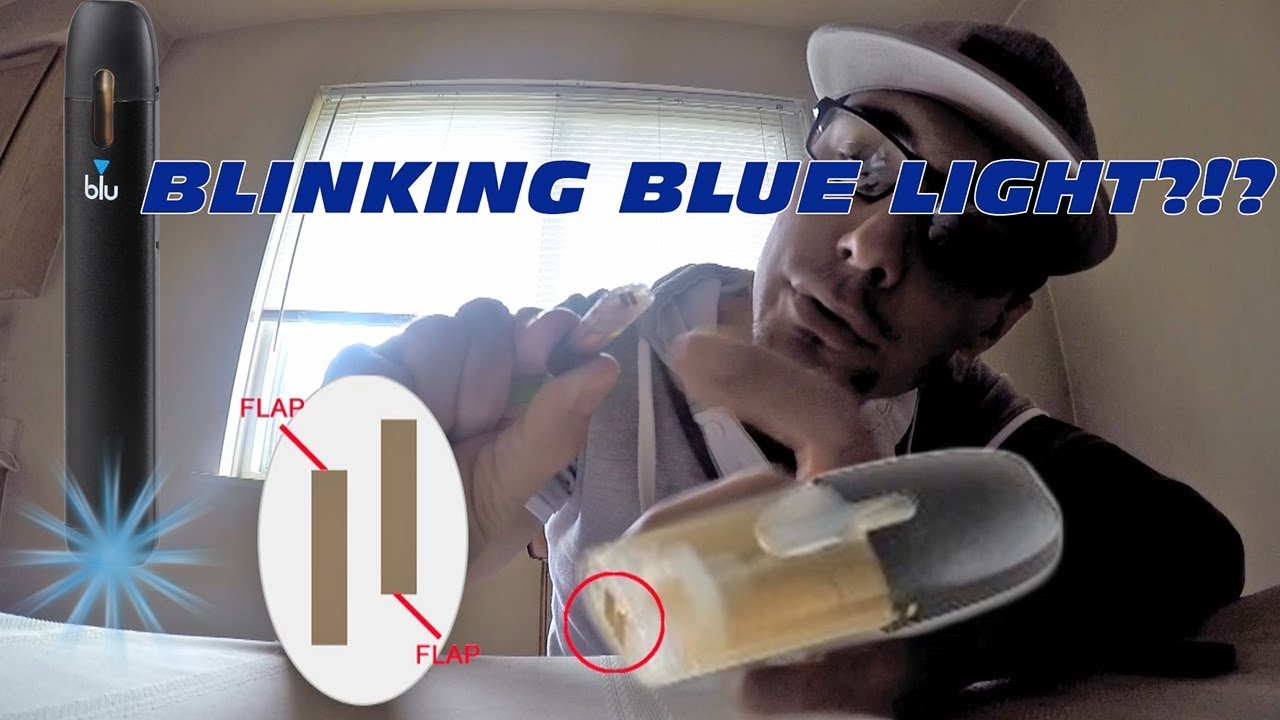
Understanding why is my vape blinking: the LED codes and safety logic
A device’s light code acts like a dashboard: each pattern maps to a safety or performance condition. Firmware uses these sequences to stop harmful current, protect cells, and prevent coil damage.
Why units flash as a preventive safety feature
Blinking sequences are not random. They are protection mode signals that tell you the unit detected low charge, a short circuit, or overheating. Treat them as diagnostic data, not an annoyance.
What “10 blinks” commonly indicates
Across many platforms, ten quick flashes most often mark a battery protection event, short detection, or firmware error that disables firing.
How different types signal faults
- Disposable: usually blink-on-inhale or steady flashes when the cell is near end-of-life.
- 510-thread pens: flash on button press to report short or weak contact.
- Pod systems: use multi-flash codes tied to pod seating or coil failure.
- Draw-activation AIOs: blink on inhale patterns to flag airflow or protection events.
Link LED patterns to symptoms: no vapor often means low power or protection lockout. Airflow but no vapor points to coil or contact faults. Next, we move to battery and charging checks in this guide.
Battery and charging problems that stop hits
Many no-hit problems trace back to simple battery or charging faults you can fix fast. We focus on quick checks and safe habits so you can rule out power delivery before swapping parts.
Low charge symptoms vs real failure
Low charge cues: rapid runtime drop, blinking LED on charge, or quick cut-offs under load. These usually clear after a full charge.
Battery failure signs: repeated cut-offs despite a full charge, swelling, or a dented cell. Stop using any damaged cell at once.
Voltage sag can mimic failure: the device may seem to turn on yet refuse to fire under draw. That means the cell cannot deliver current even though it shows voltage.
Lithium-ion battery safety warning
Do not charge a hot device or use torn cables. Avoid overcharging, heat exposure, or storing batteries in direct sunlight or a hot car.
Remove and replace any batteries that show swelling, torn wrap, or heavy dents. Those are unsafe and can fail catastrophically.
Charging best practices
- Use the manufacturer-recommended charger and cable. Match port type—USB-C or micro-USB—without forcing adapters.
- Avoid cheap, high-amperage adapters that bypass safety limits.
- Do not top-charge overnight routinely; unplug after a full charge to prolong cell life.
- Let devices cool before charging if they feel warm after use.
| Issue | Likely cause | First action |
|---|---|---|
| Quick cut-outs | Low charge or voltage sag | Fully charge with correct charger |
| Device shows full but won’t fire | Cell failing under load | Test with another battery or replace |
| Swollen or dented cell | Physical damage | Stop use; dispose safely per local rules |
Sokvape Pro-tip: carry spare batteries in a dedicated battery case. Never toss loose cells in a pocket with keys or coins.
Even with a full charge, a dirty contact or mis-seated pod can prevent firing. Next we cover connection and airflow checks to follow these power steps.
Connection and airflow issues: the most common “it blinks but won’t hit” cause
Most no-hit reports trace back to poor contact between cart and pen. A broken electrical link stops current flow. That makes the LED signal an error and prevents vapor production.
510 thread cartridge seating
How to adjust: screw the cart in until snug, then back off a quarter turn. Over-tightening compresses the center pin and can break the contact. Proper seating restores continuity so the pen senses coil resistance and fires normally.
Pod prongs and magnetic docks
Pods and magnetic docks rely on small prongs or pads to pass power. Pocket lint, condensation, or e-liquid film often blocks those contacts.
Tip: inspect prongs for debris and realign a mis-seated cart before cleaning.
Safe contact cleaning routine
- Power the device off to avoid accidental firing.
- Use a cotton swab lightly dampened with isopropyl alcohol to clean contacts.
- Wipe threads and prongs; let parts dry completely before reseating the cart.
- Test the pen by seating a known-good cart or another pod.
Airflow check: confirm the airway is clear. A blocked airway can trigger protection and stop hits.
| Symptom | Likely cause | Quick action |
|---|---|---|
| No hit, LED flash | Poor connection between cart and device | Clean contacts; reseat cart |
| Intermittent hit | Debris in magnetic dock or threads | Inspect and clean prongs; test another cart |
| One cart fails repeatedly | Defective cart internal lead or coil | Replace cart; avoid reusing faulty carts |
If connection steps don’t solve the problem, the cart itself may be defective. Replacing the cart or testing with another pen helps isolate the root cause. Next we cover protection mode and shorts.
Short circuit and overheating protection mode
Modern units block output the moment they sense abnormal resistance or rising temperatures. That protective behavior preserves battery and coil health. Treat the signal as a safety action, not a minor fault.
What an atomizer short means and why the device refuses to fire
An atomizer short occurs when resistance drops unexpectedly or current finds an unintended path. The device detects this and enters protection mode to cut power.
Signs: LED flashes on press or immediate cut-off when a pod or cart is attached. If the same cart repeats the fault, stop use.
Overheating from chain use: cooldown timing and storage habits
Chain draws dry the coil and raise temperature quickly. Let the device cool for at least 5–10 minutes after heavy use. This time helps wick saturation and reduces thermal stress.
Avoid leaving devices in direct sun, hot cars, or tight pockets during the hottest part of the day. Store at room temperature to extend safe life.
Pocket-fire prevention and safe carry
Use button lockouts (five clicks common) and respect auto-shutoff limits. Carry button devices where keys or fabric cannot press the switch.
| Symptom | Likely reason | Immediate action |
|---|---|---|
| Flash on press, no output | Atomizer short | Remove cart; inspect for leakage; test known-good cart |
| Cut-off after heavy draws | Overheat protection | Let unit cool 5–10 minutes; reduce puff frequency |
| Device activates in pocket | Button held or fabric pressure | Engage lockout; carry in protective case |
Safety first: if you smell burning, see swelling, or the unit stays hot, stop using it and replace the hardware. For more detail on protection signals consult our protection mode guide.
Disposable vape blinking or not hitting: quick triage for puff bars
A fast check saves time: test flavor and cloud size to separate battery failure from an empty pod.
Dead cell versus empty e-liquid
Loss of flavor and much smaller clouds usually mean the e-liquid is nearly gone. The hit will taste harsher as the wick dries out.
No output with no taste often points to a drained cell. Puff length matters: marketing puff counts assume 1–2 second draws.
Charging and refilling safety
Do not attempt to recharge single-use units. Many disposable vapes lack proper charging circuitry and can overheat.
Refilling is rarely worth it. Wicks and coils are tuned to the factory fill and the battery often ends near the same moment the juice does.
DOA airflow realignment (last-step fix)
- Remove the mouthpiece gently.
- Inspect the soft pad and silicone gasket for misalignment or blockage.
- Realign the center hole so air can pass, then reseat the mouthpiece.
| Symptom | Likely cause | Quick action |
|---|---|---|
| Weak clouds, dull taste | Empty e-liquid | Stop use; replace unit |
| No power, no hit | Dead battery | Replace unit |
| Blocked airflow | Misaligned pad/gasket | Realign mouthpiece |
Safety note: If airflow correction fails, return or replace the unit per retailer policy. We do not recommend forcing operation, charging, or refilling for safety reasons.
Clogs, weak hits, gurgling, and spitback: symptoms and fixes
Small blockages in the airway can cause weak vapor and sudden spitback during draws. Blockage often comes from condensation, thicker oils, or residue buildup. Restricted airflow can also trigger protection behavior and an LED fault signal.
Quick symptoms vs solutions
| Symptom | Likely cause | Solution |
|---|---|---|
| Clogged mouthpiece | Condensed e-liquid or debris | Power off; blow gently through mouthpiece; clean with alcohol swab |
| Gurgling / spitback | Flooded chimney or hard pulls | Clear flood; wait between puffs; use gentle draws |
| Dry hit | Insufficient wick saturation | Prime coil; saturate and wait 5–10 minutes |
| Weak vapor | High-VG or clogged coil | Try thinner e-liquid or clean/replace coil |
| Light flashes with poor hits | Connection interrupted by residue | Clean contacts; reseat pod; test another cart |
Unclogging and draw technique
Unclogging: Power device off. Blow gently through the mouthpiece to push liquid out. Avoid forcing pressure that might push liquid into contacts.
Draw technique: Use slow, steady pulls. Narrow chimneys magnify suction; hard tugs pull liquid into the airway and cause spitback.
Wicking, PG/VG, coils, and priming
Higher VG fluids are thicker and soak slower. That can cause weak hits or dry hits if the wick cannot keep up.
Mesh coils heat evenly and saturate faster. They resist clogging better than standard round-wire coils, but still need proper wicking and correct e-liquid blend.
Priming basics: Saturate a new coil, let it rest 5–10 minutes, then start at low power. This prevents dry hits and extends coil life.
For disposable pull issues, check our disposable pull fixes guide for targeted tips.
Step-by-step troubleshooting checklist: restore hits in minutes
Begin troubleshooting with the least invasive steps to protect the battery and device. Follow the numbered checks below in order. Stop and seek service if you detect heat, swelling, or burning smells.
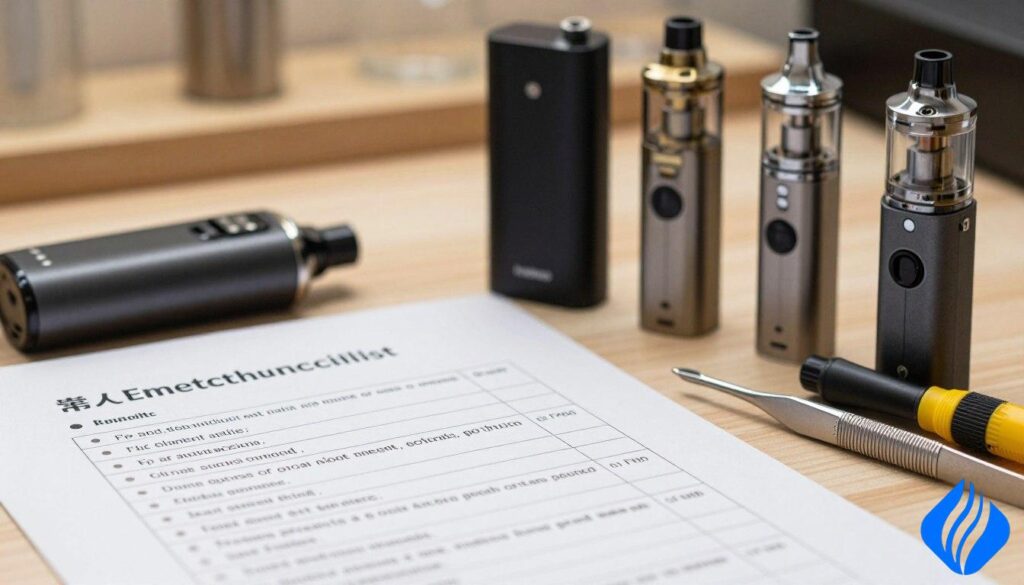
Quick checks: power, airflow, seating
- Power state: confirm the device is on and not locked. Try the common five-click toggle.
- Charge: attach the correct cable and look for proper charging LED or percentage. Do not force a bad cable.
- Airflow: clear mouthpiece and airway. Blow gently to remove light condensation.
- Seating: remove and reseat the cartridge or pod. Ensure it snaps or threads fully into place.
- Test draw: use a short, steady pull. Note any LED pattern or immediate cut-off.
Cleaning steps: contacts, threads, condensation control
- Power off the device before cleaning.
- Clean contacts and prongs with a cotton swab and 90%+ isopropyl alcohol.
- Wipe threads and let parts dry fully before reassembly.
- Remove excess condensation by holding the device mouth-down and tapping gently.
- Reseat the pod and retest. A clean connection often restores hits.
Escalation path: isolate cart, battery, then service
- Swap the cartridge or pod with a known-good unit. If the fault follows the cart, replace it.
- Test the cart on another compatible device, if available. If it fails only on one device, suspect the device connection or board.
- If the device blinks with every cartridge, stop and inspect the battery and housing for damage.
- When charging shows excess heat, swelling, or odd smells, cease use and dispose of the battery safely.
- If steps fail, contact Sokvape with your device type and LED pattern for a targeted guide and service options.
| Step | Action | When to escalate |
|---|---|---|
| Quick check | Power, charge, airflow, seating | LED faults persist after reseating |
| Clean | Contacts, threads, remove condensation | Intermittent hits continue |
| Isolate | Swap cart, test on another device | Fault follows cart or device consistently |
| Safety stop | Heat, swelling, burning smell | Do not charge or use; seek disposal/service |
Legal disclaimer for the United States: travel, shipping, and compliance basics
Legal disclaimer: This section offers general U.S. compliance information, not legal advice. Rules can change by state or municipality. Verify 2026 state and local laws before travel or purchase.
TSA/FAA compliance: carry-on vs checked baggage
| Item | Carry-on | Checked bag |
|---|---|---|
| Device with internal battery | Allowed in carry-on only; power off | Not recommended; many airlines forbid |
| Spare lithium-ion cells | Must be in carry-on, insulated in original box or a dedicated box | Prohibited by most carriers |
| Filled cartridges/pods | Allowed within liquid limits when sealed and in a clear bag | Risk of leaks; check carrier policy |
Leak prevention while flying
- Keep devices upright in a small box or case to limit seepage.
- Seal cartridges and store them in a zip bag to protect contacts.
- Account for pressure changes by partially emptying large tanks before the day of travel.
PACT Act awareness and shipping realities
PACT Act awareness: Shipping products to consumers often requires adult-signature, carrier restrictions, and age verification. This can delay delivery and limit market access for some sellers.
Plan ahead: Pack spares safely, avoid loose batteries in pockets, and consult our travel guidance before you fly.
Conclusion
Quick summary: Low battery, dirty contacts, a mis-seated cart or pod, clogged airflow, and protection mode from shorts or heat are the top reasons for no hits. Follow a short troubleshooting order: charge correctly, reseat the cartridge, clean contacts, and check airflow. These steps fix most faults fast.
Safety first: Do not bypass protection features or keep using a unit that shows heat, swelling, or burning smells. Disposable devices that flash near end-of-life should be replaced, not recharged or refilled.
Taking a routine maintenance approach improves day-to-day vaping experience. Prime coils, respect draw technique, and store gear correctly to cut down on clogs and dry hits. If a pattern persists across known-good carts, consult Sokvape for device-specific support and resources.
FAQ
1) Why is my vape blinking and not hitting even after charging? Check contact cleanliness and seating first. If the device still refuses to fire, test another cartridge or suspect a protection event or failing cell.
2) What does it mean when my device blinks 10 times? Ten quick flashes often mark a battery protection or short detection. Stop use and inspect for damage before further attempts.
3) How do I fix a device that blinks when I try to hit it? Power off, clean contacts with isopropyl, reseat the pod, and let the unit cool. If that fails, swap the cartridge to isolate the fault.
4) Why are some disposables still flavorful but flashing? Disposables can show light or flavor until the cell nears end-of-life. Replace the unit rather than attempting to recharge or refill.
5) Can a clogged cartridge make my device blink? Yes. Heavy residue can interrupt contacts or airflow and trigger protection. Clean or replace the cart to restore normal function.
 English
  German
  Dutch
Dutch  Danish
  Czech
Czech  Italian
  Slovenian
  French
  Hungarian
  Spanish
  Polish